

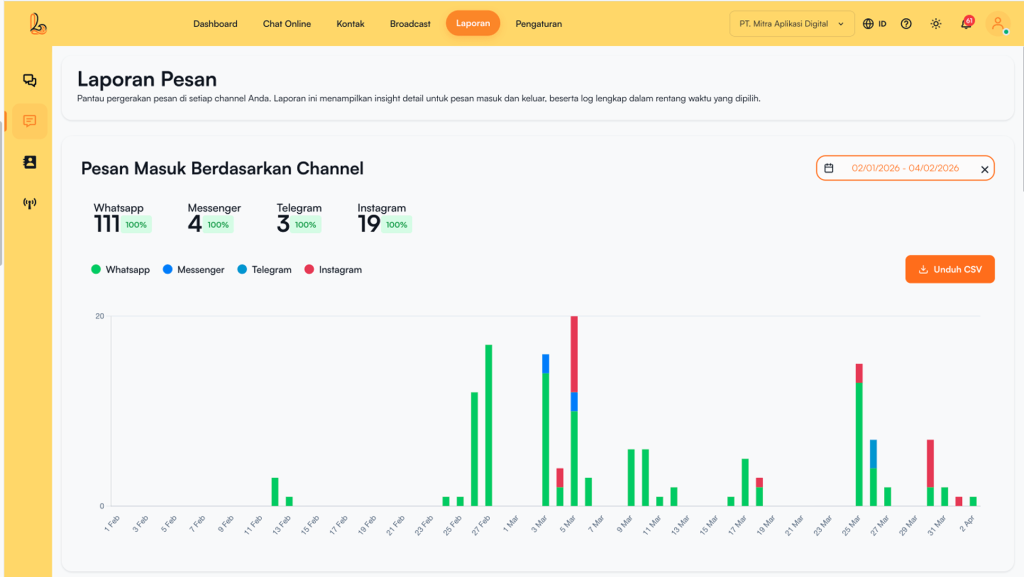
Report Messages is part of the Reports module in Layanika that displays data related to message sending and receiving activities between the system and customers.
a. Incoming Messages Based on Channel #
Incoming Messages Based on Channel is a report that displays the number of incoming messages from customers, grouped by each communication channel connected to Layanika.
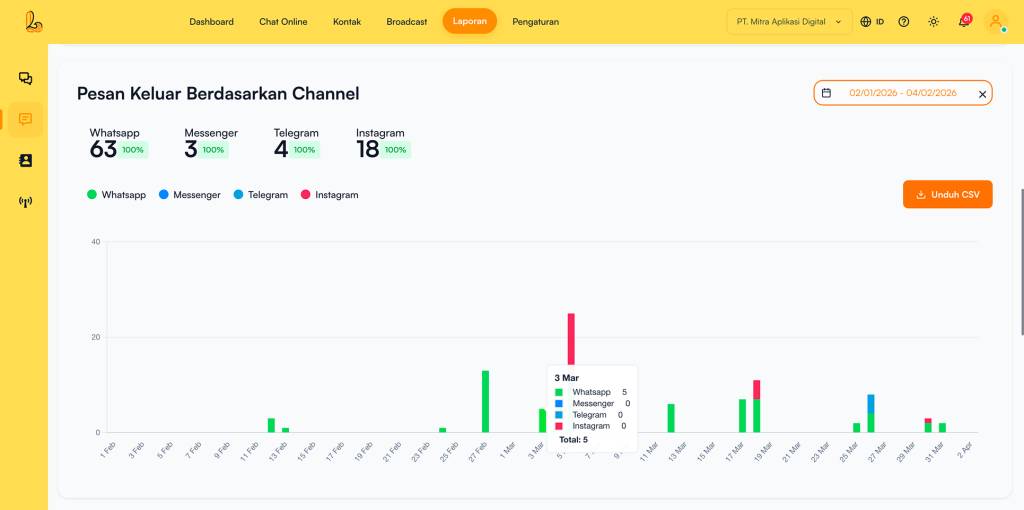
b. Outgoing Messages Based on Channel #
Outgoing Messages Based on Channel is a report that displays the number of messages sent from the Layanika system to customers, grouped by each communication channel.
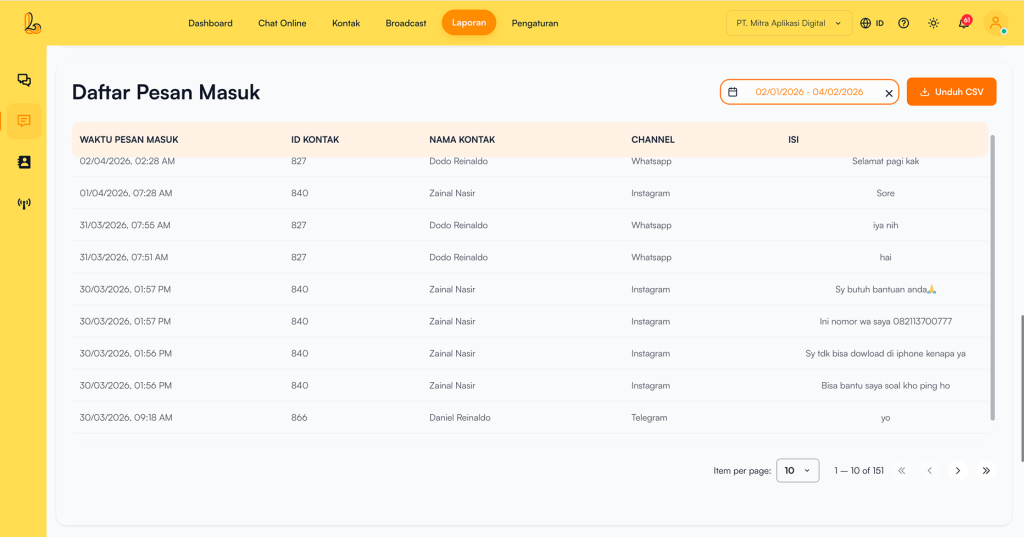
c. Incoming Message List #
Incoming Message List in Layanika is a reporting feature that displays all messages received from customers across various social media channels in a single inbox. The following information is shown in the table:
| Colom | Description |
|---|---|
| Incoming Message Time | The time when the message was received from the customer. |
| Contact ID | A unique ID for each contact/customer |
| Contact Name | The name of the customer who received the message. |
| Channel | The channel associated with the customer (e.g., WhatsApp, Telegram, Instagram, Facebook Messenger, Webchat). |
| Content | The content of the message sent by the customer. |
d. Outgoing Message List #
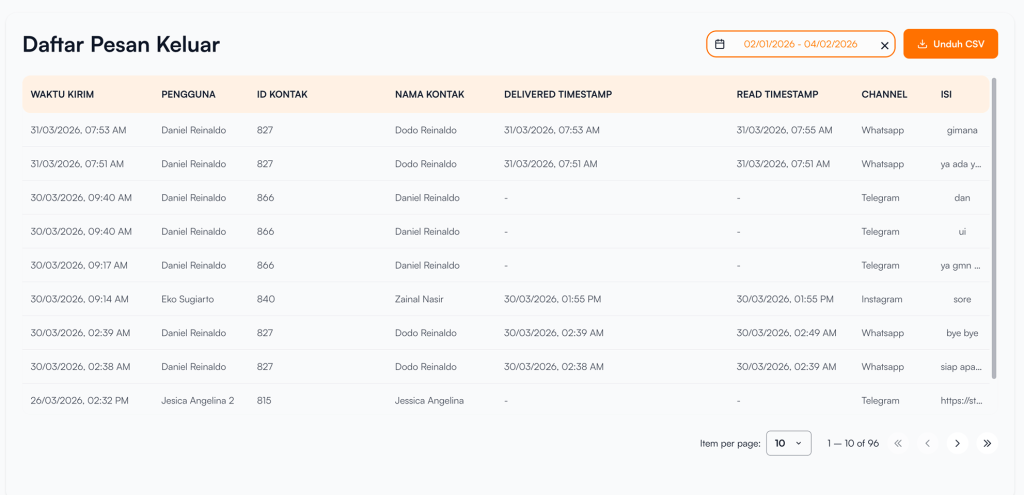
Outgoing Message List is a view that displays all messages sent from the Layanika system to customers across various communication channels.
| Colom | Description |
|---|---|
| Sent Time | The time when the message was sent to the customer. |
| Contact ID | A unique ID for each contact/customer |
| Contact Name | The name of the customer who received the message. |
| Delivered Timestamp | The time when the message was successfully delivered to the customer’s device. |
| Read Timestamp | The time when the message was read by the customer. |
| Channel | The channel associated with the customer (e.g., WhatsApp, Telegram, Instagram, Facebook Messenger, Webchat). |
| Content | The message content sent to the customer. |