


Workspace is the main working environment in Layanika used to manage all communication activities, users, and data within a single, separate space.
Each workspace represents a specific unit, such as a company, brand, or division, with its own independent configuration and data.
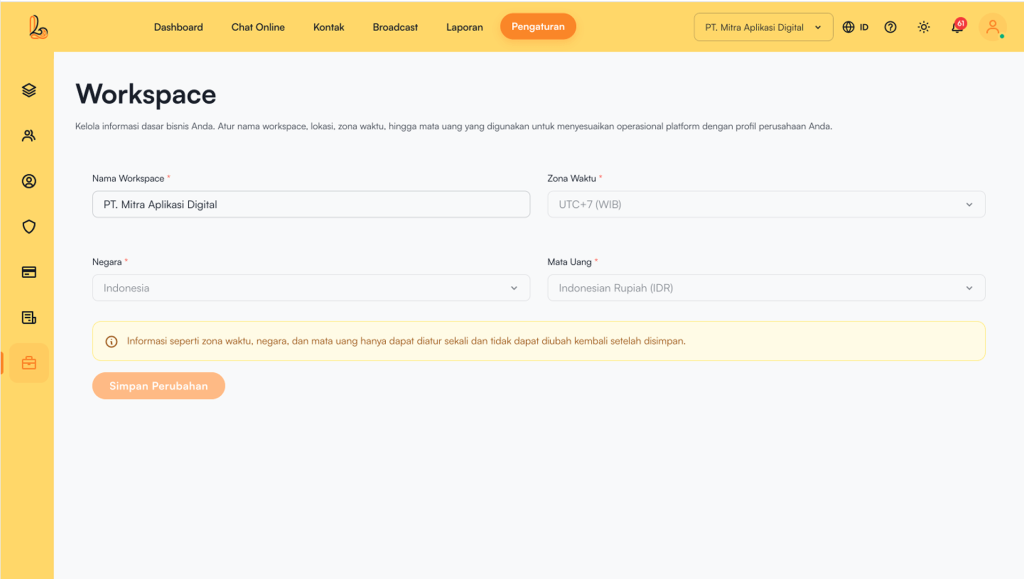
Users can fill in workspace information through:
- During the initial onboarding process, or
- Click Settings > Workspace
The system will then display the Workspace, fill in the required information, such as:
| Colom | Description |
|---|---|
| Workspace Name | The name of the business or workspace |
| Time Zone | Defines the workspace’s operating time (e.g., WIB / UTC+7, WITA / UTC+8, and WIT / UTC+9) |
| Country | The business’s country location |
| Currency | The currency used for transactions |
Important:
Time zone, country, and currency can only be set once.


