


Roles are used to manage and control each user’s access within the system based on their assigned role. With this setup, users can only access features that align with their granted permissions.
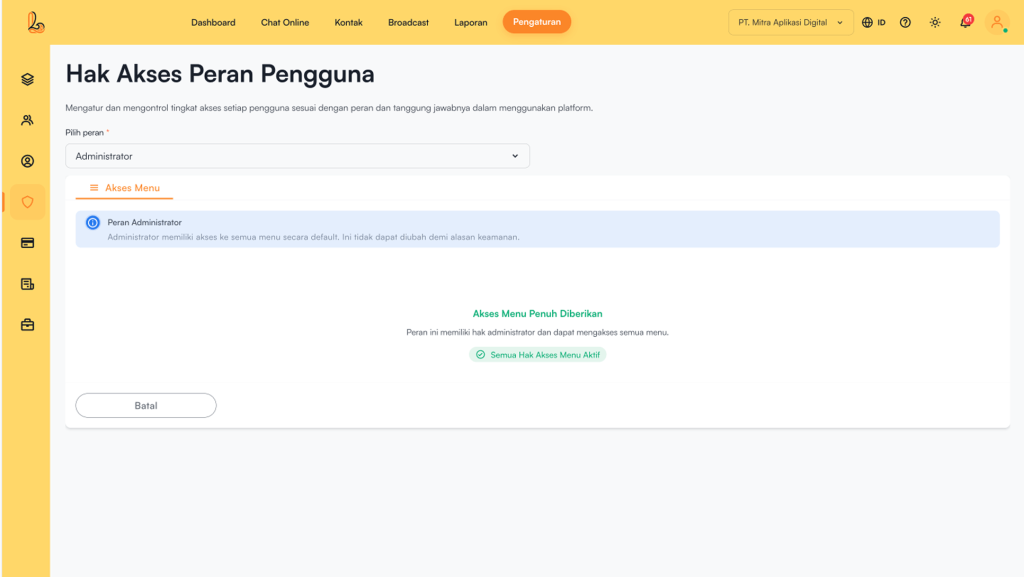
User Role Types #
1. Administrator
- Has full access to all features within the workspace.
- All menus and actions are enabled by default.
- Administrator permissions cannot be restricted.
- Can manage access permissions for:
- Supervisor
- Agent
2. Supervisor
- Has limited access to menus based on the assigned role.
- Can manage access permissions for Agent.
- Cannot modify or manage Administrator permissions.
3. Agent
- Has limited or no access to certain menus based on assigned permissions.
- Performs operational tasks according to the access granted by the Administrator or Supervisor.
Permission Types #
Access permissions can be configured for each menu. The following are the types of actions that can be managed:
| More | Description |
|---|---|
| Created | Permission to create new information. |
| Read | Permission to view information. |
| Updated | Permission to edit information. |
| Delete | Permission to delete information. |
How to Manage Permissions #
Go to the Settings>>Roles Fill Select Role (Administrator / Supervisor / Agent), then click Save


