

The Custom Field digunakan untuk menambahkan pada kontak pelanggan. Menu ini digunakan untuk menyimpan informasi yang belum tersedia pada kolom informasi utama.
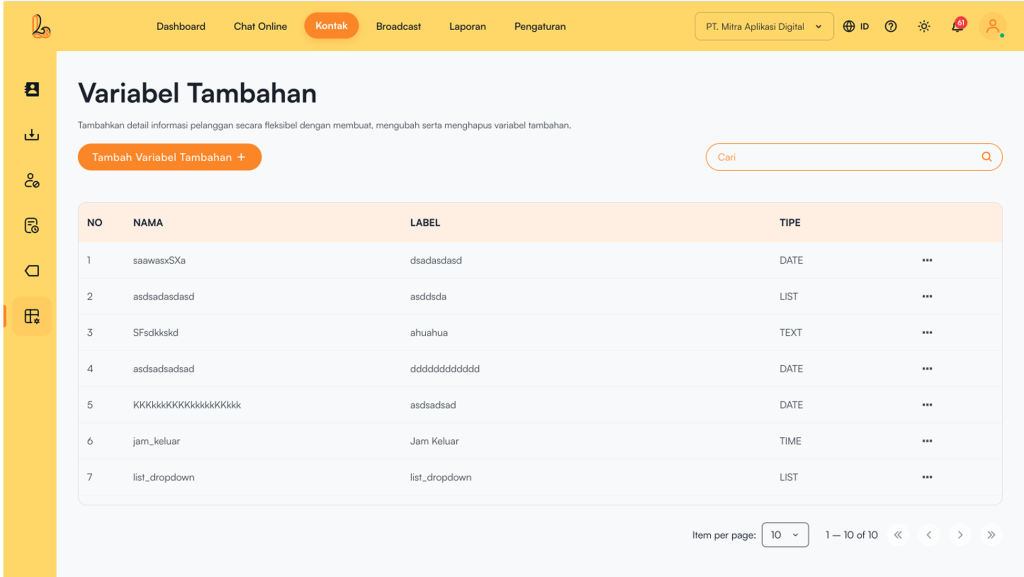
Below is a description of what each column represents:
| Colom | Description |
|---|---|
| Name | The variable name |
| Label | Nama yang ditampilkan pada formulir |
| Type | The data type of the variable |
| More | Options to manage the variable (edit or delete) |
Variable Types #
The types of variables available in Custom Field are:
| Tipe Variabel | Description |
|---|---|
| Text | Input in the form of short text (e.g., name, city, etc.) |
| Number | Input in the form of numbers (e.g., age, number of transactions) |
| Date | Input in the form of a date (e.g., date of birth, booking date) |
| Time | Input in the form of time (e.g., reservation time) |
| List / Dropdown | Input berupa pilihan dari beberapa opsi yang sudah ditentukan |
| Checkbox | Input berupa pilihan (bisa satu atau lebih opsi) |
| Website | Input in the form of a URL or website address |
| Textarea | Input in the form of long text (e.g., notes or additional information) |
a. Add Custom Field #
Pengguna dapat menambah variabel pada menu variabel tambahan. Berikut panduan untuk menambah variabel:
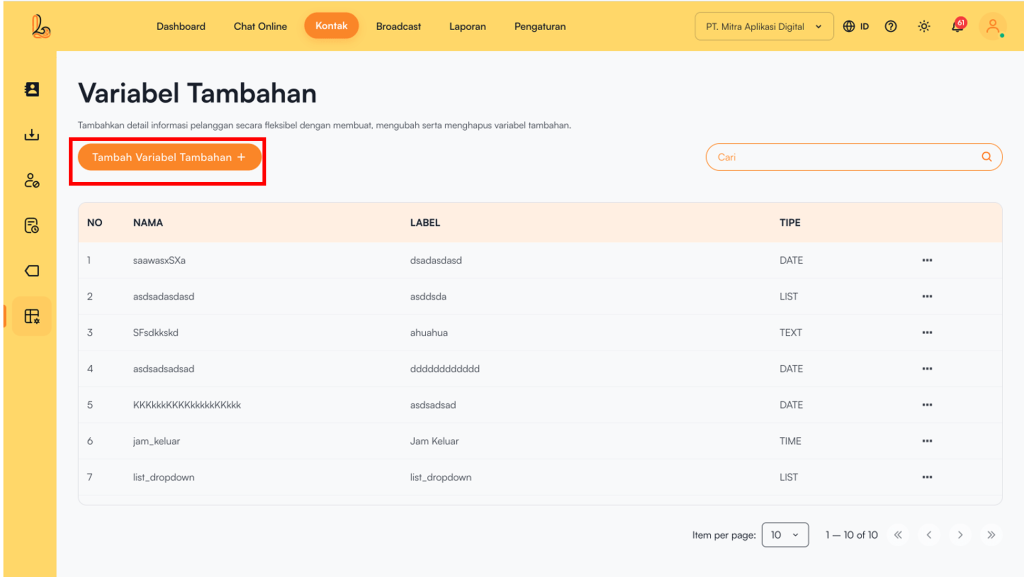
Step 1:
Untuk menambahkan variabel tambahan, klik Add Custom Field located in the top-left corner.
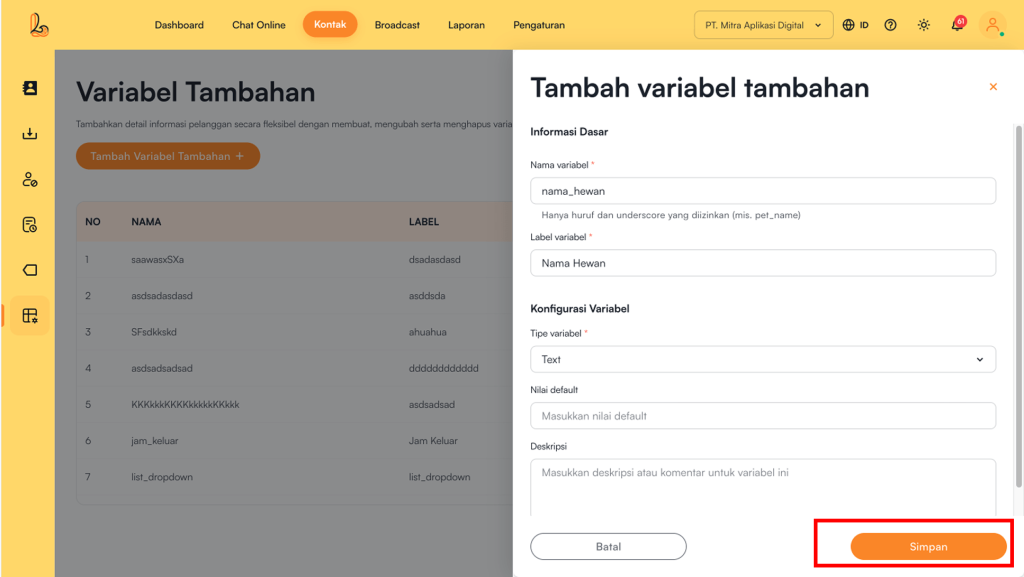
Step 2:
Layanika akan menampilakn formulir yang berisi informasi detail variabel tambahan. Data yang perlu di lengkapi seperti:
- Variable Name (use only letters and underscores e.g., pet_name).
- Variable Label (Maximum of 50 characters).
- Deskripsi variabel.
- Variable Configuration
Tipe variabel yang ada pada konfigurasi variabel:
- Text, Number, Checkbox, Website, and Text Area: dapat mengisi nilai default.
- Time: dapat mengisi nilai default dalam format waktu (contoh: 09:30).
- Date:
- Dapat mengisi nilai default dalam format tanggal (contoh: 2024-01-15).
- You can enable a date range option (start & end) to limit selectable dates
- Tanggal minimum-> untuk menentukan batas awal tanggal.
- None: No minimum limit
- Today: Hanya dapat memilih hari ini.
- Specific Date: Dapat memilih tanggal tertentu sebagai batas minimum.
- Maximum Date->Set the latest selectable date
- None: No maximum limit.
- Today: Hanya dapat memilih hari ini.
- Specific Date: Dapat memilih tanggal tertentu sebagai batas maksimum.
Then, users can save their changes by clicking the Save.
b. Edit Custom Field #
Users can update the description, variable name, label, and variable type by using Edit Custom Field. Perubahan pada variabel akan otomatis pada semua kontak yang mengisi pada kolom variabel tambahan.
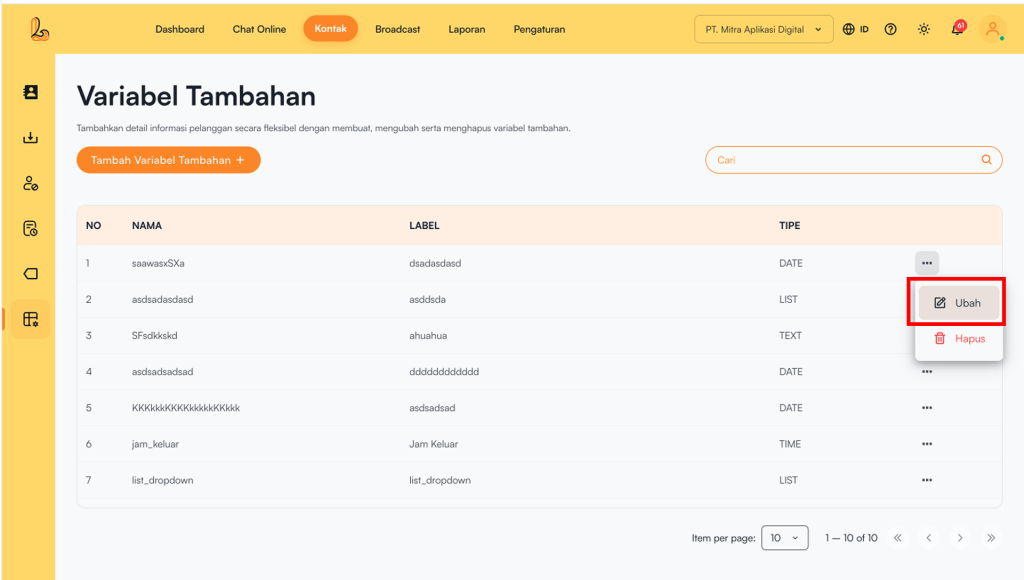
To edit a custom field, select the custom field you want to modify from the custom variables list, then click Edit . After making the necessary changes, click Save.
c. Delete Custom Field #
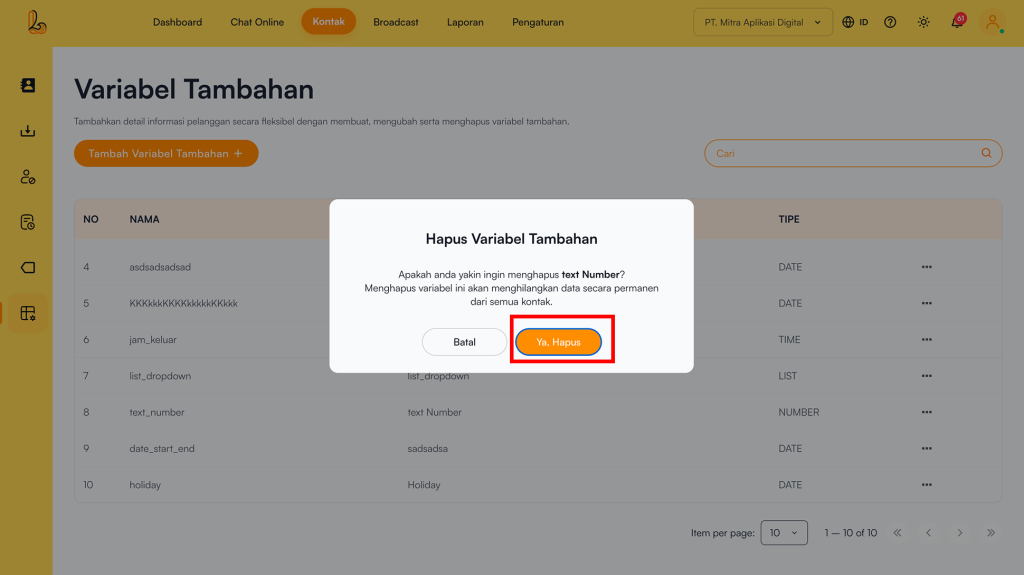
Pengguna dapat menghapus variabel tambahan pada menu kontak
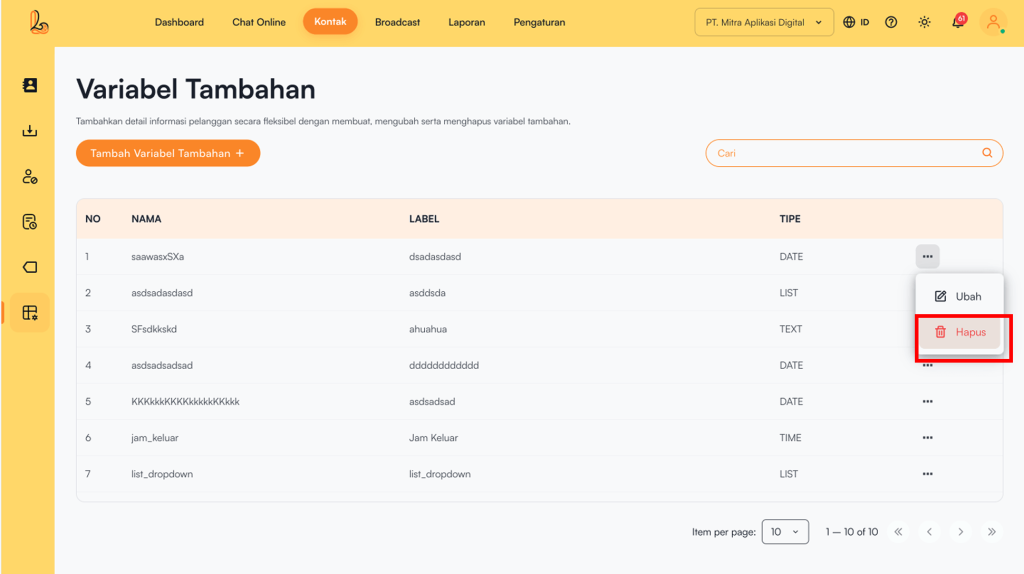
Untuk menghapus variabel tambahan, pilih variabel tambahan yang akan dihapus pada formulir kontak. Pili Delete untuk menghapus variabel tambahan. Setelah sistem akan mengirimkan konfirmasi apakah pengguna yakin untuk menghapus variabel tambahan. Pilih Delete untuk konfirmasi hapus variabel tambahan.