


Report Conversation Layanika is an analytics feature that provides data and insights on communication activities between users and customers across all channels within a specific period. This feature helps monitor team performance and the overall effectiveness of interactions.
The conversation report consists of:
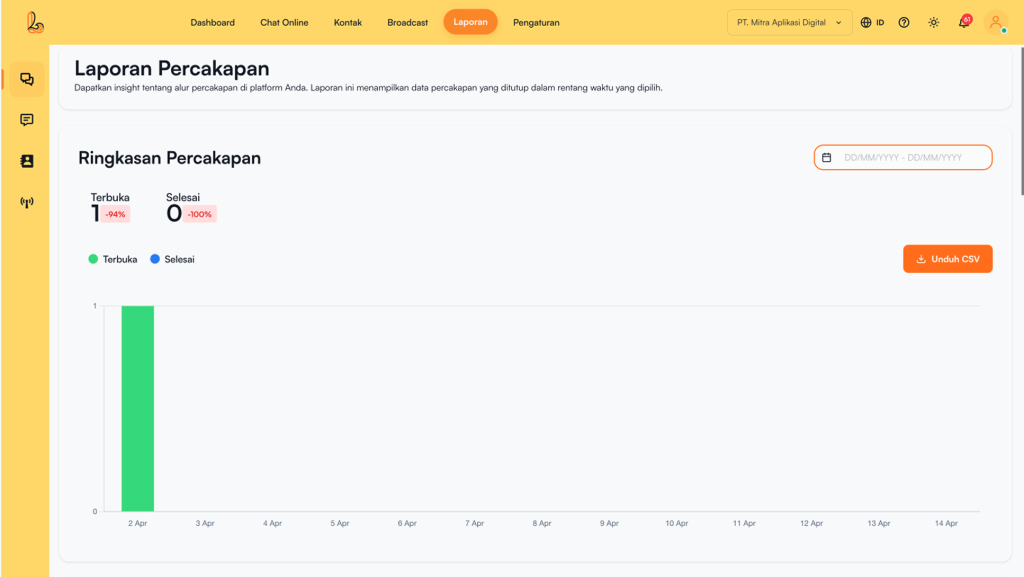
a. Conversation Overview #
Conversation Summary displays an overview of the total number of conversations within the selected time period. This section helps users quickly understand communication activity through two key indicators: open conversations and closed conversations.
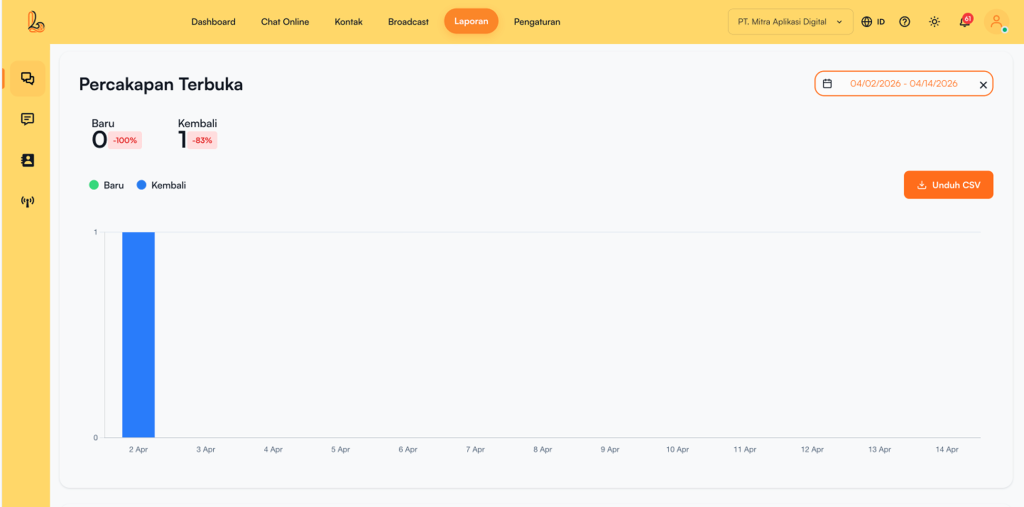
b. Conversation Opened #
Open Conversations in Layanika refer to conversations that are still active and have not yet been resolved by the team. These conversations require follow up from agents to ensure every customer message is handled promptly and accurately..
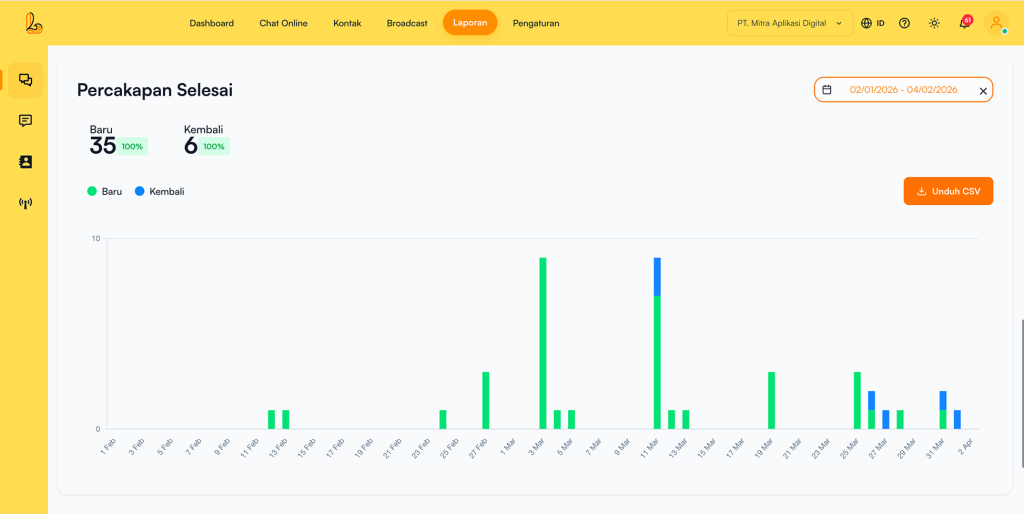
c. Conversation Closed #
Conversation Closed in Layanika refer to conversations that have been fully handled by the team and no longer require follow-up. This status indicates that the customer’s needs or inquiries have been successfully resolved by the agent/user.
d. Conversation List #
On the Report Conversation, terdapat tabel Conversation List yang menampilkan detail setiap percakapan dalam rentang waktu yang dipilih.
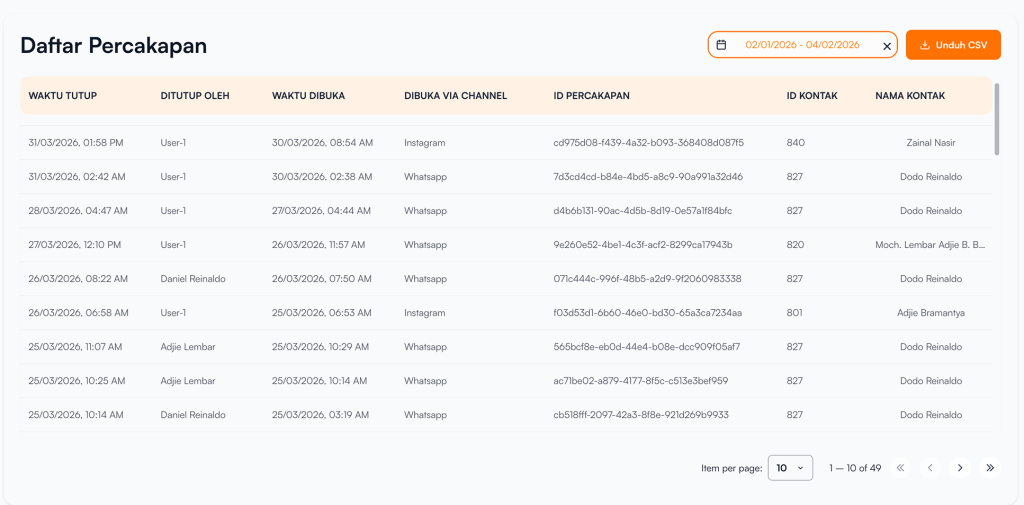
The following information is displayed in the table:
| Colom | Description |
|---|---|
| Closed Times | The time when the conversation was closed or resolved |
| Close By | The name of the user (agent) who closed the conversation |
| Opened Time | The time when the conversation was first initiated |
| Opened by Channel | Channels connected with customers (e.g., WhatsApp, Telegram, Instagram, Facebook Messenger, Webchat) |
| Conversation ID | A unique ID for each conversation |
| Contact ID | A unique ID for each contact/customer |
| Contact Name | The name of the customer who initiated the conversation |


