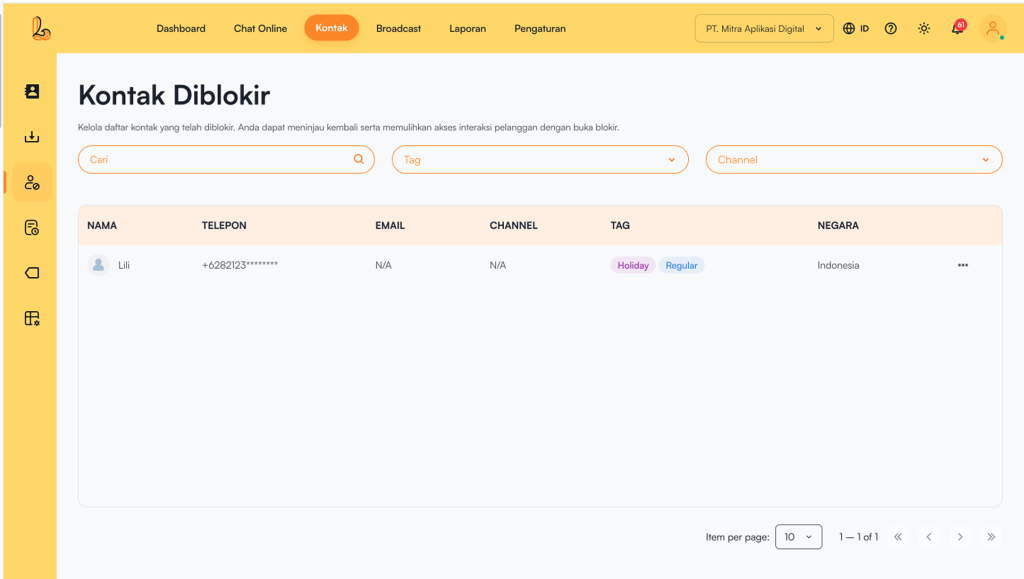
This menu displays a list of contacts that have been blocked. Here, users can delete contacts that are no longer needed and also unblock customer contacts.
Below is a description of what each column represents:
| Colom | Description |
|---|---|
| Name | Contact name |
| Phone | Contact phone number (usually partially masked) |
| Contact email (if available) | |
| Channel | The channel associated with the contact (e.g., WhatsApp, Telegram, Instagram, Facebook Messenger, Webchat). |
| Tag | Contact labels/categories (e.g., Regular, Holiday, etc.) |
| Country | Contact’s country of origin |
| More | Action menu for further actions such as unblocking or deleting blocked contacts |
a. Delete Contact #
Below is a guide to permanently delete a blocked contact:
Step 1:
Select the contact you want to delete from the blocked contacts list.
Step 2:
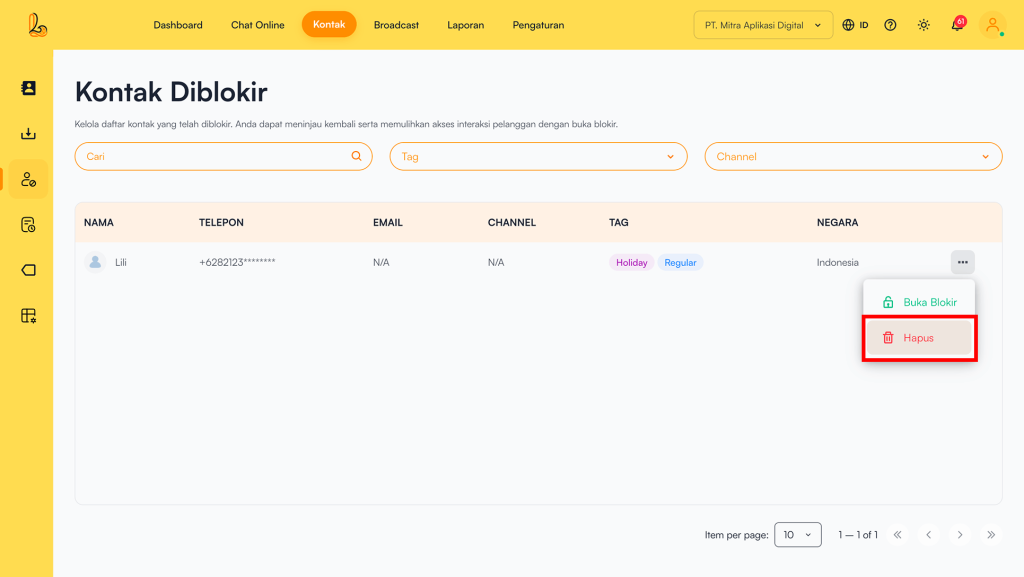
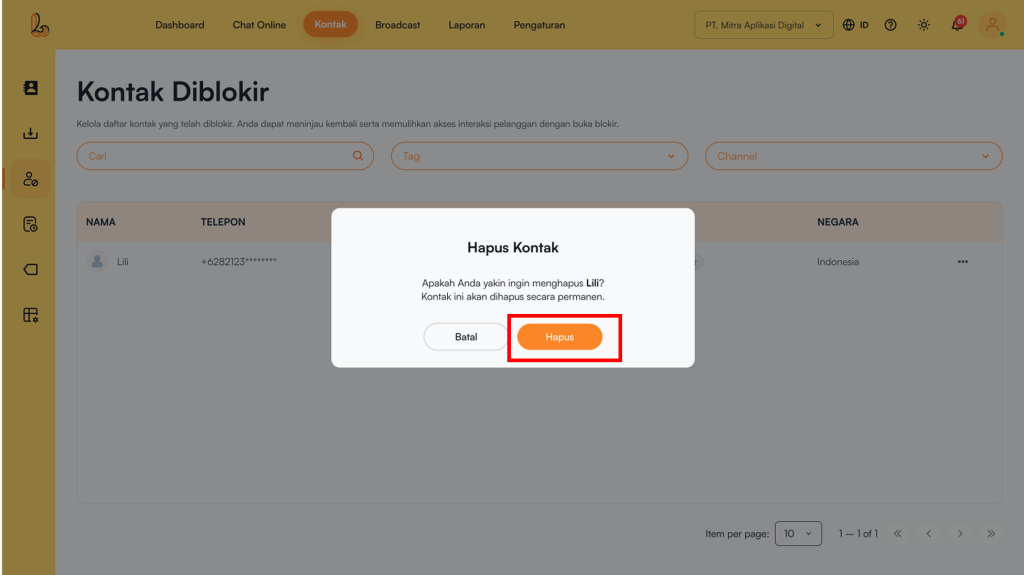
Click action Delete action located on the right side of the Country Countrycolumn. The system will then display a confirmation prompt to ensure you want to proceed. Click Delete permanently remove the contact.
b. Unblock Contact #
Below is a guide on how to unblock a contact:
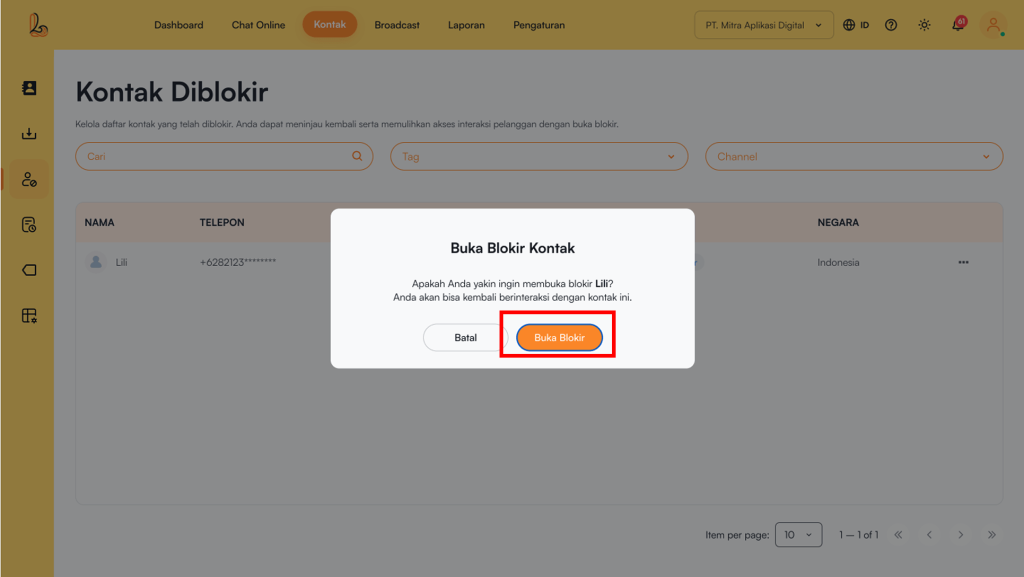
Select the contact you want to manage from the blocked contacts list. Click the Unblock action located on the right side of the Country CountryThe system will then display a confirmation prompt to ensure you want to proceed. Click Unblock to unblock the contact.