

Broadcast merupakan fitur dalam Layanika dimana pengguna dapat mengirimkan pesan lebih dari satu atau secara massal kepada banyak kontak sekaligus melalui berbagai channel komunikasi yang terintegrasi.
Fitur ini digunakan untuk menyampaikan informasi, promosi, maupun notifikasi secara efisien tanpa perlu mengirim pesan satu per satu.
Broadcast statuses are divided into several categories:
| Broadcast Status | Description |
|---|---|
| Draft | The broadcast is still being prepared and has not been sent yet. You can still edit or complete the broadcast details |
| Scheduled | The broadcast has been scheduled and will be sent automatically based on the specified date and time |
| On Going | The broadcast sending process is in progress. Messages are being sent gradually to contacts. |
| Completed | The broadcast has been successfully delivered to all target contacts without any issues. |
| Partially Failed | Some messages were successfully delivered, but a few failed to reach certain contacts |
| Failed | The broadcast failed to send completely. No messages were successfully delivered to the target contacts. |
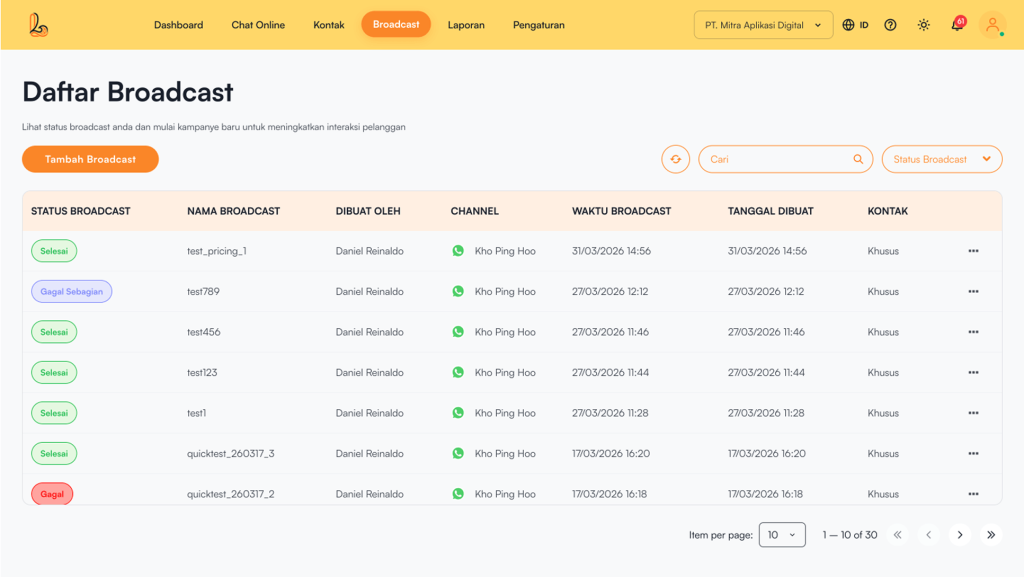
The Broadcast List includes :
| Colom | Description |
|---|---|
| Broadcast Status | Menampilkan status pengiriman broadcast |
| Broadcast Name | Displays the name of the broadcast message that has been created |
| Created By | Pengguna yang membuat dan mengirim broadcast |
| Channel | Saluran aplikasi media sosial yang digunakan untuk mengirim broadcast (WhatsApp) |
| Broadcast Time | Waktu pengiriman pesan broadcast kepada kontak yang dituju. |
| Created Date | Tanggal pengiriman pesan broadcast kepada kontak yang dituju |
| Contact | Kontak yang telah memiliki tag dan ditentukan sebagai target pengiriman broadcast |
| More |
|
a. Broadcast Search #
Users can easily search and filter broadcast data by searching for broadcast messages.
- Search by Broadcast Name
Use the Search untuk mengetik nama broadcast. Sistem akan otomatis menampilkan daftar broadcast yang sesuai dengan kata kunci yang dimasukkan. - Filter by Broadcast Status
Click the Broadcast Status to view available status options (such as Draft, Scheduled, On going, Completed, Partially Failed, and Failed).
b. Broadcast Details #
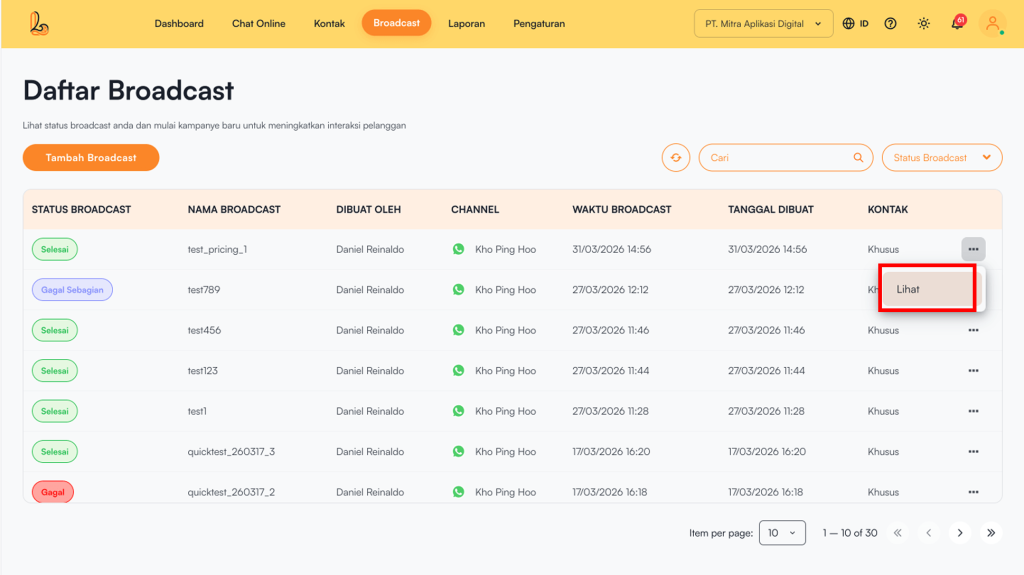
Broadcast yang telah dikirimkan bisa dilihat, klik 3(tiga) titik pada sebelah kanan, klik Lihat, pada detail Broadcast akan terlihat Status, Jumlah penerima, jumlah terkirim beserta tampilan Broadcast
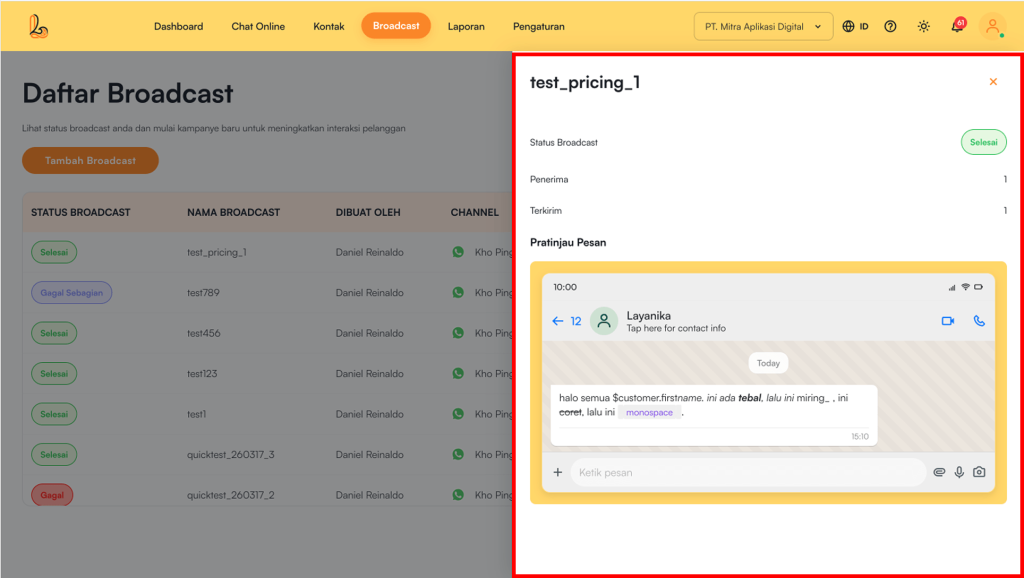
The Broadcast Details page includes the following information:
| Information | Description |
|---|---|
| Broadcast Name | Displays the name of the broadcast message that has been created |
| Broadcast Status | Indicates the delivery status of the broadcast |
| Recipients | The total number of contacts targeted by the broadcast |
| Sent | The number of messages successfully delivered to recipients |
| Message Preview | Tampilan pesan yang dikirim ke pelanggan |
c. Delete Broadcast #
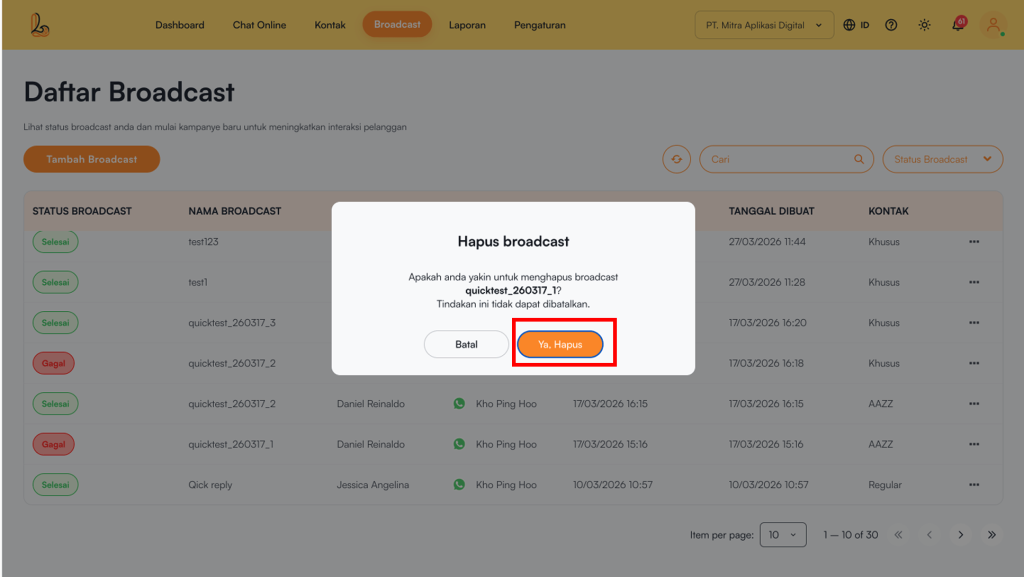
Pengguna dapat menghapus broadcast yang sudah tidak digunakan pada menu broadcast.
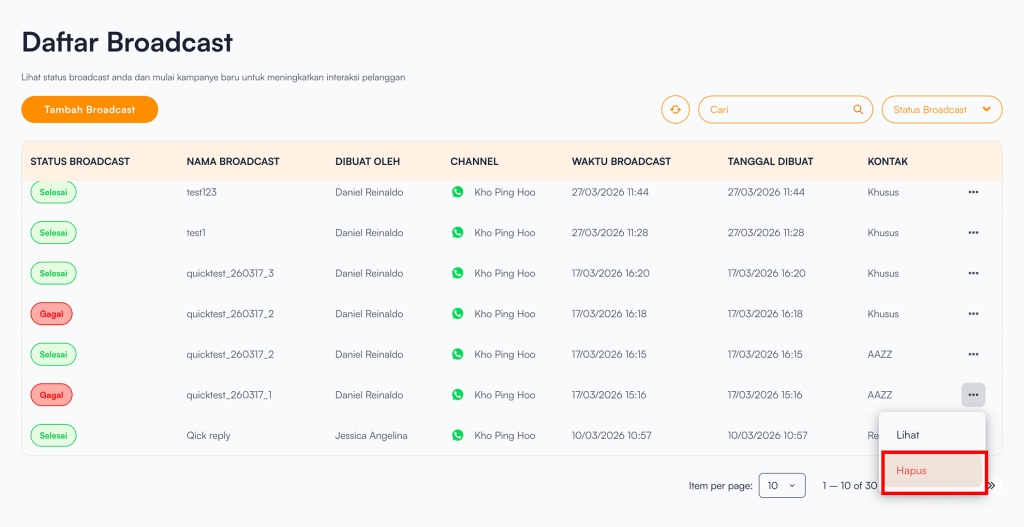
Click 3(titik) sebelah kanan pada list Broadcast, pilih Hapus, anda akan mendapatkan notifikasi untuk konfirmasi penghapusan, lalu klik Yes, Delete