


Conversation Overview is used to monitor chat activity performance within a selected time period.
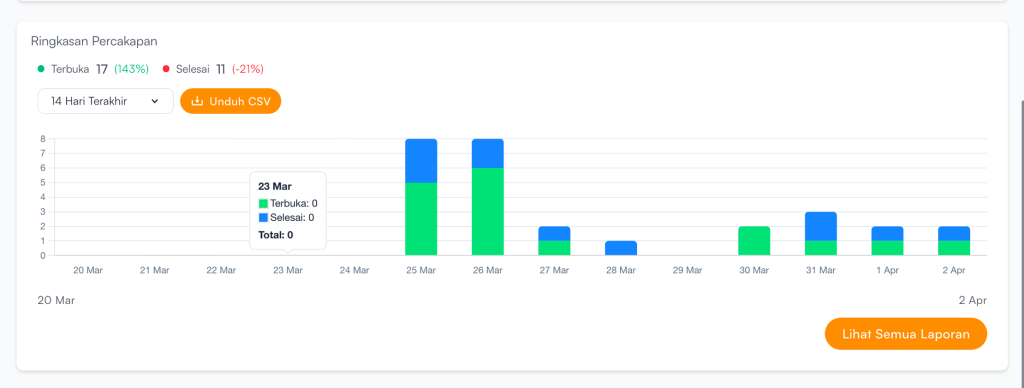
Users can select a time period to view conversation data:
| Filter | Description |
|---|---|
| Today | Today’s conversation data |
| Yesterday | Previous day’s conversation data |
| Last 14 Days | Accumulated conversation data for the past 2 weeks |
| Last 30 Days | Accumulated conversation data for the past 1 month |
If users want to export the data:
- Click Download CSV.
- Conversation data will be downloaded in CSV.
If users want to view more detailed reports, click View All Reports.


