


Profile page contains the user’s personal information used within the system. yang digunakan dalam sistem.
This information is used to identify the user and support activities within the workspace, such as communication, account management, and other administrative needs.
a. How to Access and Edit Profile #
Step 1:
- Click the Profil (avatar)
- Select the Profile
- The system will display the user profile page
Step 2:
On this page, users can view and manage their personal information. The information that can be viewed includes:
| Colom | Description |
|---|---|
| First Name | The user's first name |
| Last Name | The user's last name |
| Email Address | The email used for the account (cannot be changed). |
Edit the fields and click Update Profile
b. Delete Account #
In addition to updating their profile, users can also permanently delete their account.
Step 1:
- Click the Profil (avatar)
- Select the Profile
- The system will display the user profile page
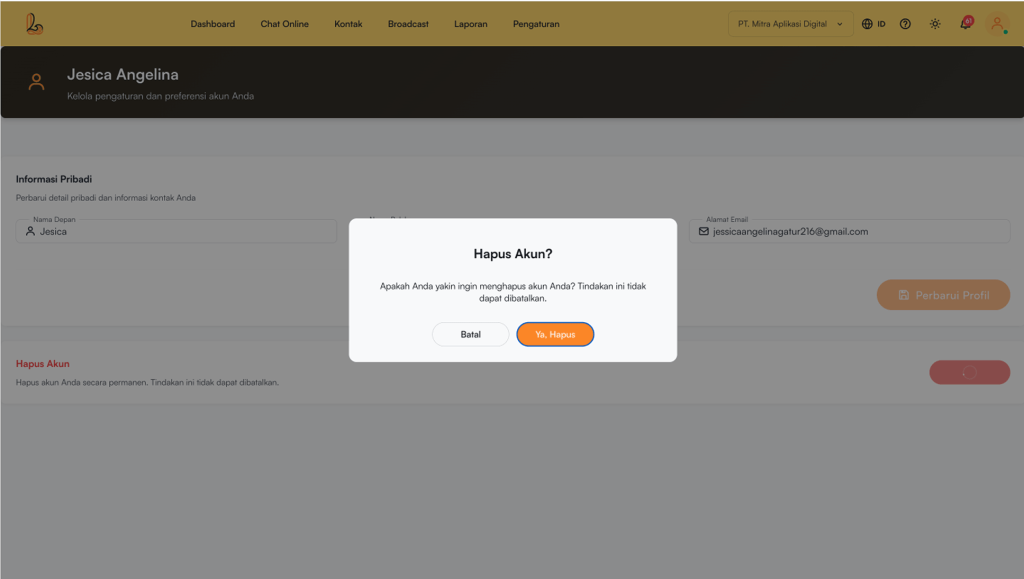
Step 2:
Click Delete Account. The system will display a confirmation prompt. Click Yes, Delete to proceed.
Step 3:
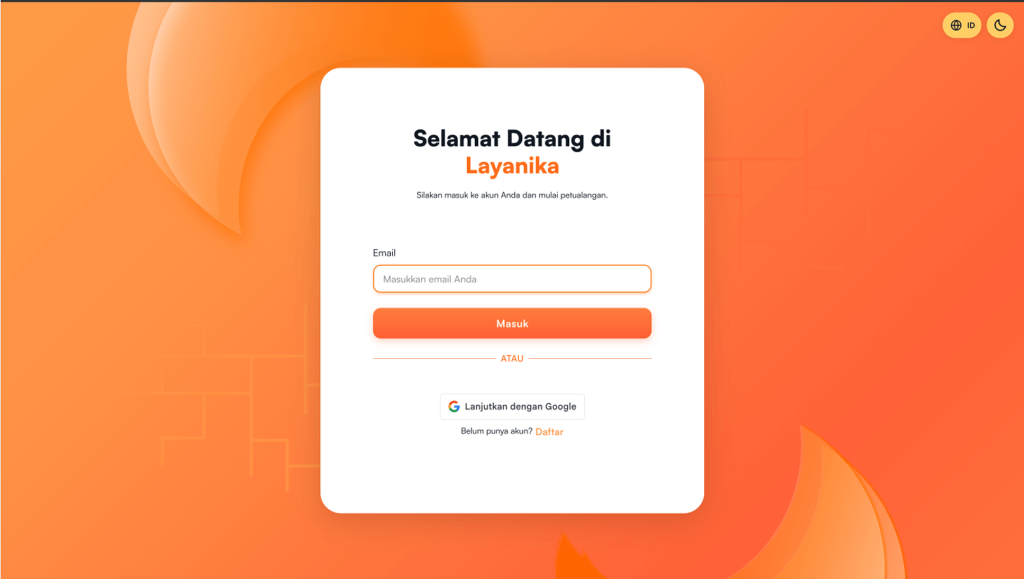
All user data within the workspace will be deleted
The user will be redirected to the Login.


