

The Subcription is used to manage service plans, monitor usage, purchase add-ons, and manage WhatsApp balance in one place.
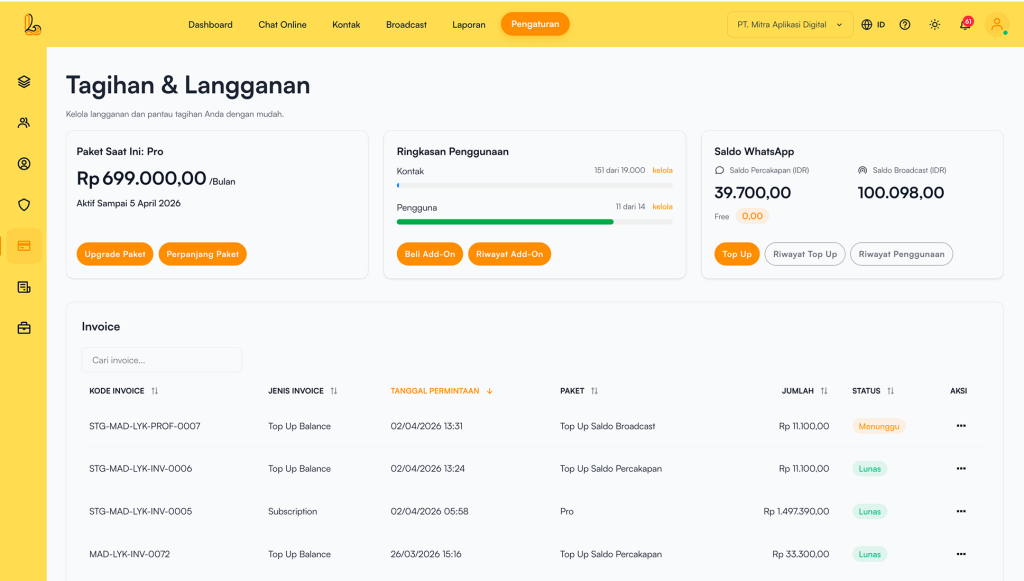
Di sini pengguna dapat mengelola terkait dengan langganan, seperti: upgrade paket,perpanjang paket, beli add-ons, riwayat add-ons, top up saldo whatsApp, penagihan, faktur, penggunaan, serta batal berlangganan.
a. Upgrade Paket #
Pengguna dapat melakukan upgrade paket agar mendapatkan kapasitas fitur yang lebih besar.
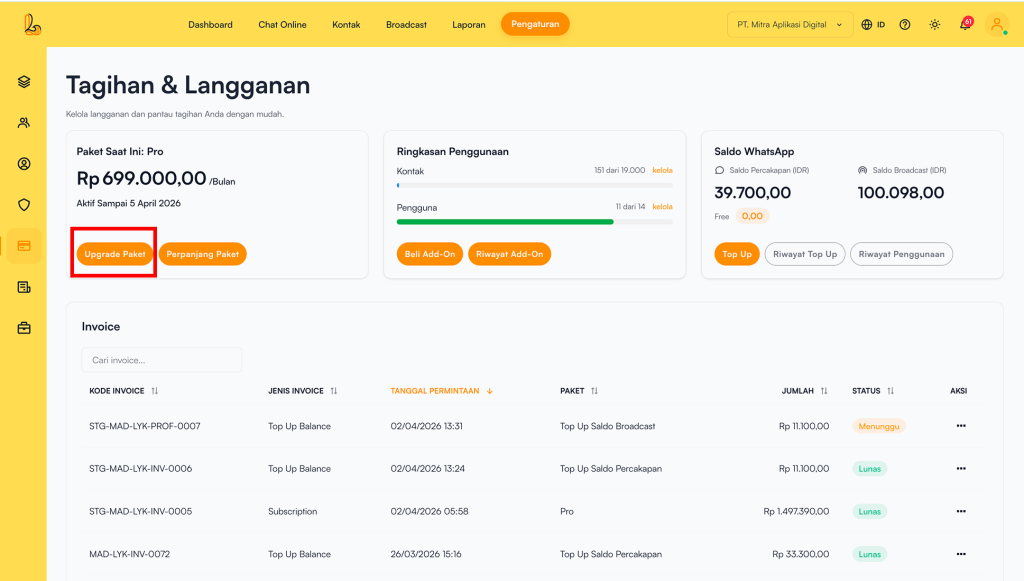
Step 1:
Go to the Settings>Subcription , then click Upgrade Subcription.
Important:
- Upgrade: Berpindah ke paket yang lebih tinggi dengan fitur dan kapasitas lebih besar.
- Downgrade: Berpindah ke paket yang lebih rendah. Saat downgrade, beberapa fitur akan berkurang, seperti jumlah pengguna, kontak, dan kuota broadcast.
- You can switch to annual billing.
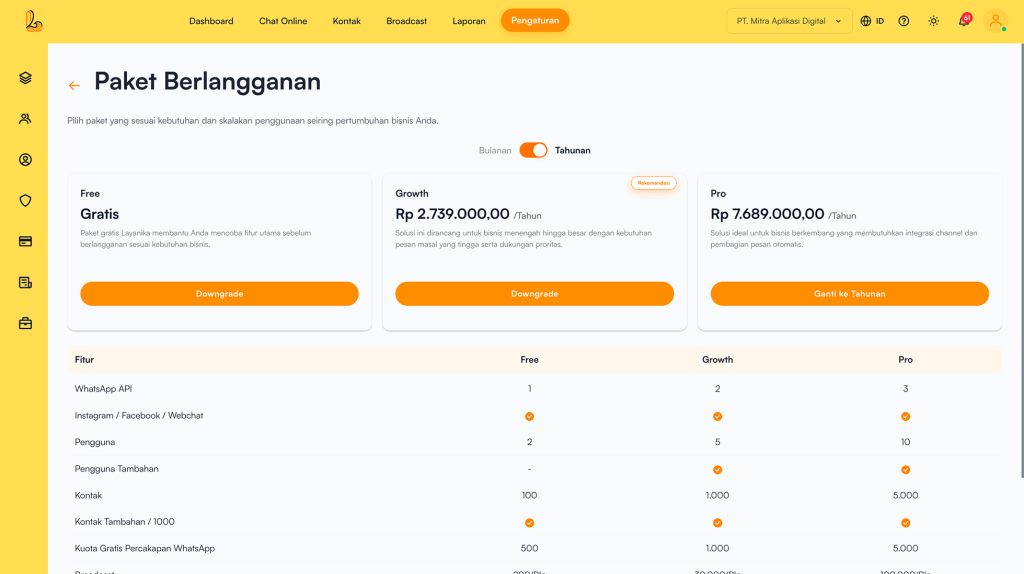
Step 2:
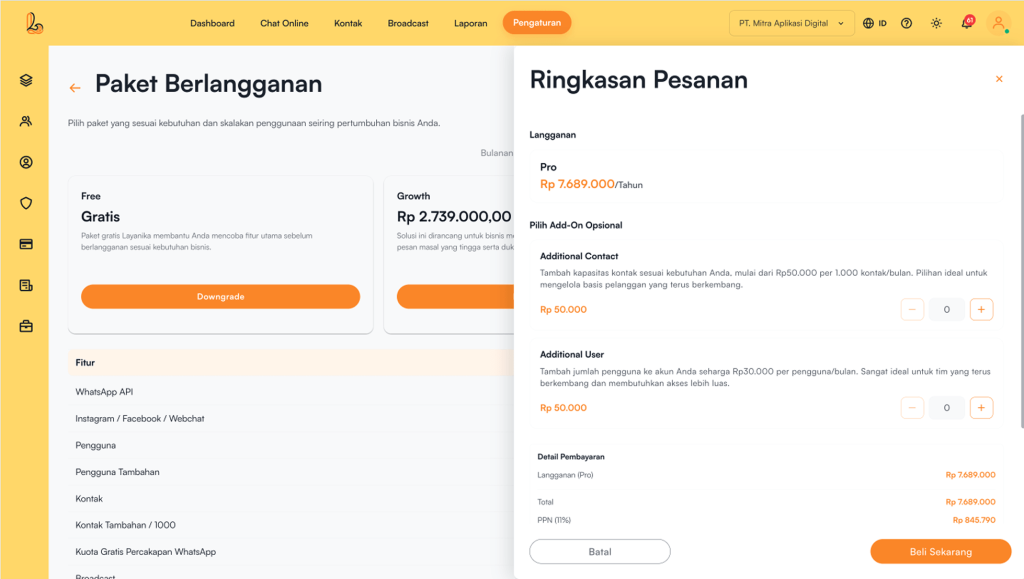
After selecting a plan, users will be directed to the Order SummaryTo add add-ons such as users or contacts, click the buttons below:
- ➕ to increase the number of add-ons
- ➖ to decrease the number of add-ons
The total number of add-ons will be automatically included in the total payment calculation.
Once done, click Buy Now. The system will redirect you to the payment page. Complete the payment process.
Step 3:
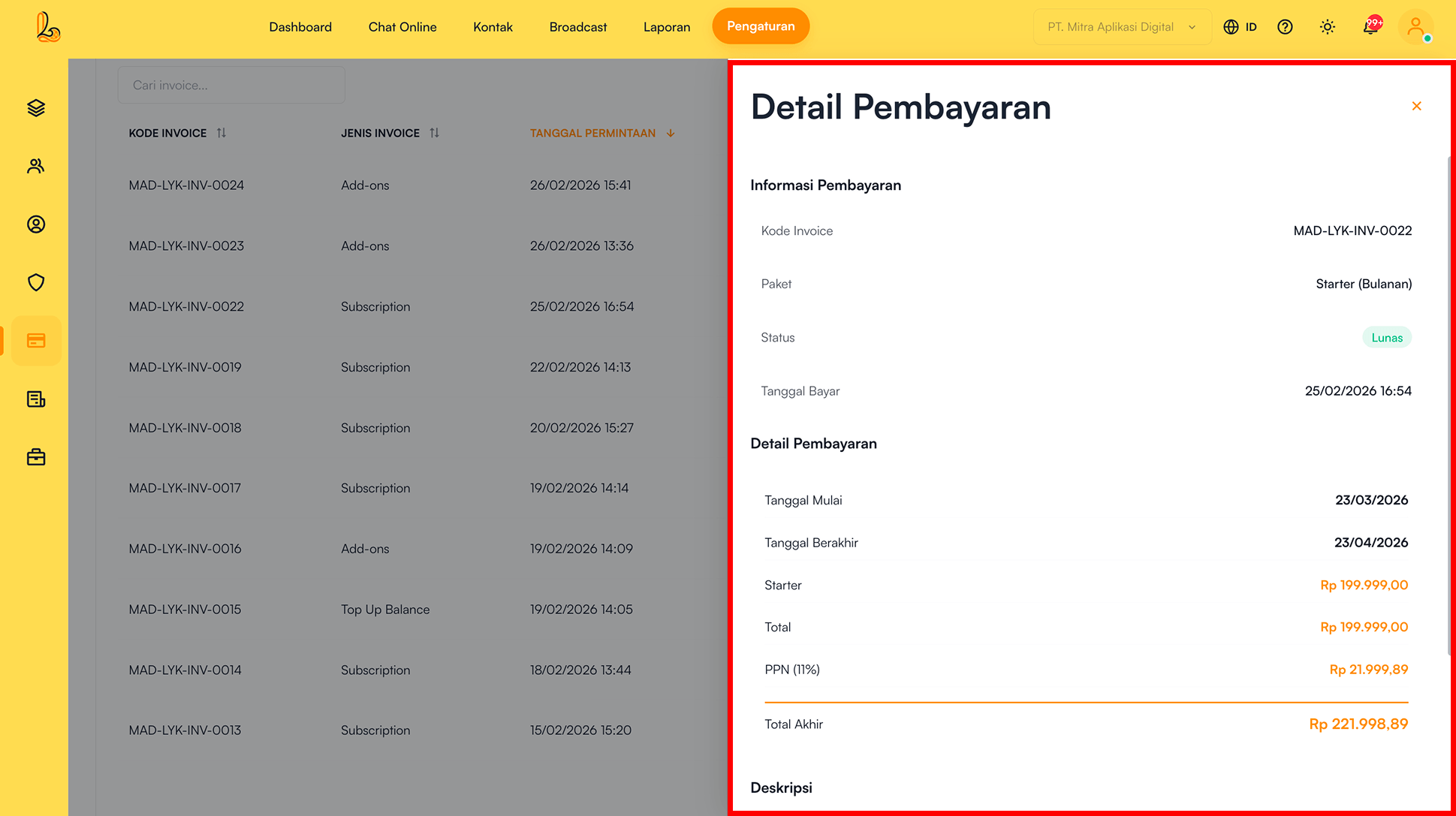
After the payment is successful:
- The package will be updated automatically.
- Pengguna dapat melihat Invoice pada aksi Lihat detail di tabel Invoice.
b. Renew Subcription #
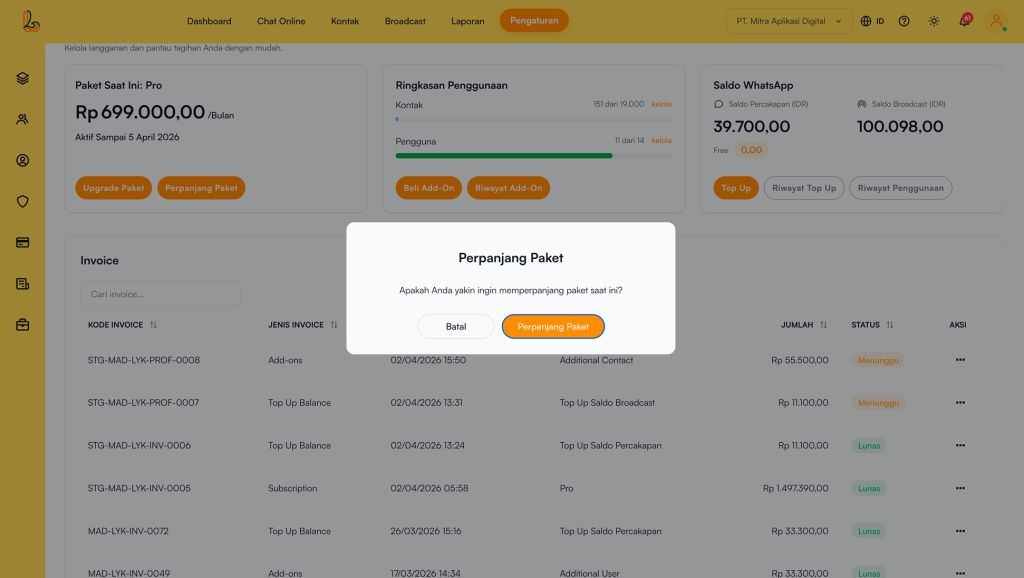
The Renew Plan feature is used to extend your subscription period.
Go to the Settings>Subcription , then click Renew Subcription. Sistem akan menampilkan pop-up konfirmasi perpanjangan paket. Klik Renew Subcription untuk melanjutkan proses perpanjang paket.
Step 2:
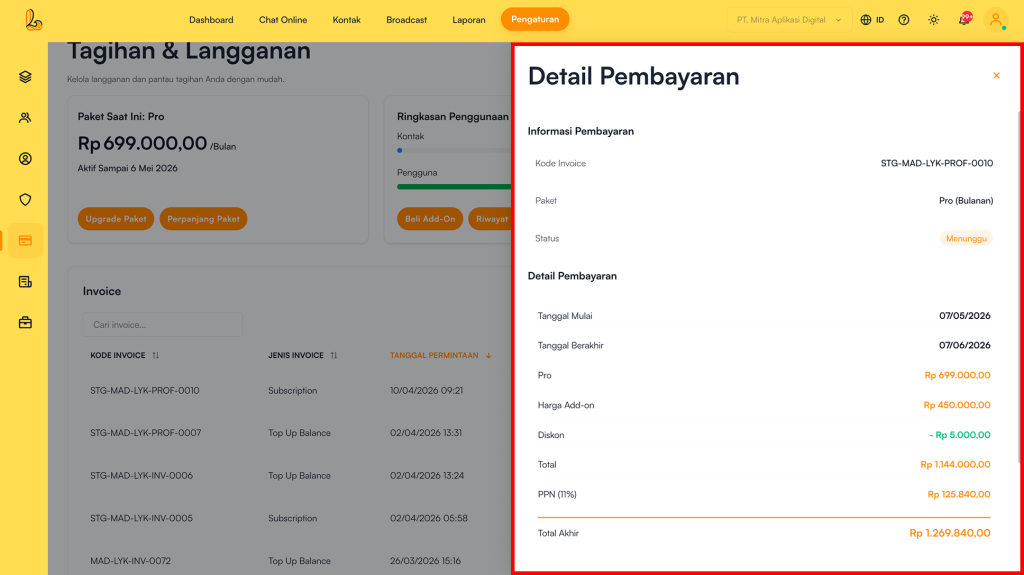
Setelah pembayaran berhasil paket langganan akan otomatis diperpanjang. Pengguna dapat melihat invoice melalui aksi Lihat Detail pada tabel Invoice.
c. Buy Add-Ons #
Add-ons are additional features that can be purchased to increase capacity or support needs beyond the main plan. Add-ons are flexible and can be adjusted based on business requirements.
Available Add-On Types:
- Additional Contact
Used to increase contact capacity. Suitable for businesses with a large customer base. - Additional User
Used to increase the number of users (agents) in the system. Suitable for growing teams.
Step 1:
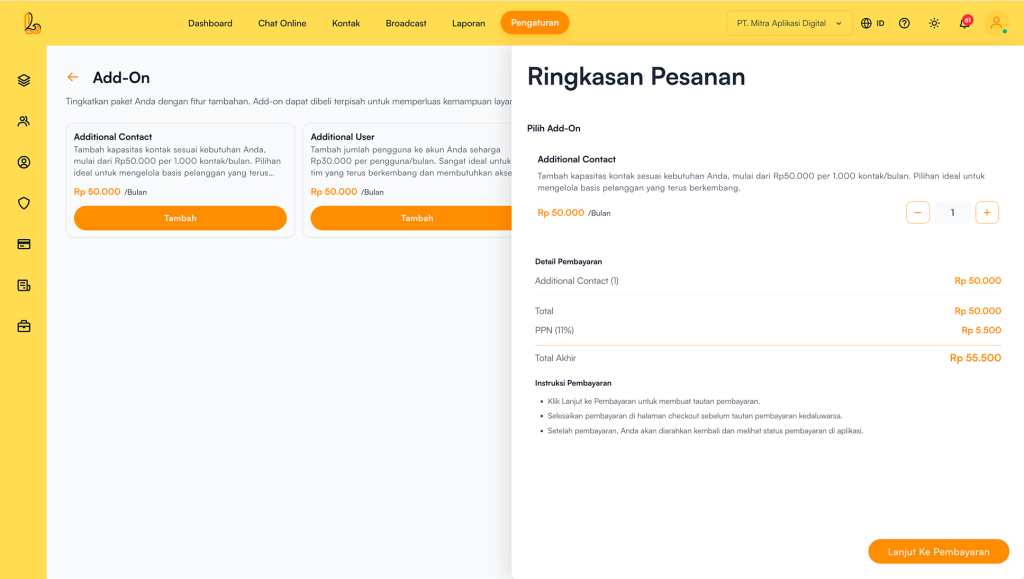
Go to the Settings>Subcription , then click Beli Add-On. The system will display a list of available add-ons.
Click Add on the selected add-on. After clicking Add, the Order Summary. will be displayed. Specify the number of add-ons you want to purchase:
- ➕ to increase the number of add-ons
- ➖ to decrease the number of add-ons
Then, select Continue To Payment to proceed with the payment process.
Step 2:
After the payment is successful:
- The package will be updated automatically.
- The system will generate an Invoice.
d. Manage Add-Ons #
Feature Manage Add-Ons digunakan untuk mengelola Add-On yang sedang aktif . Melalui fitur ini, pengguna dapat mengetahui detail Add-On yang digunakan serta menghentikan Add-On yang sudah tidak dibutuhkan.
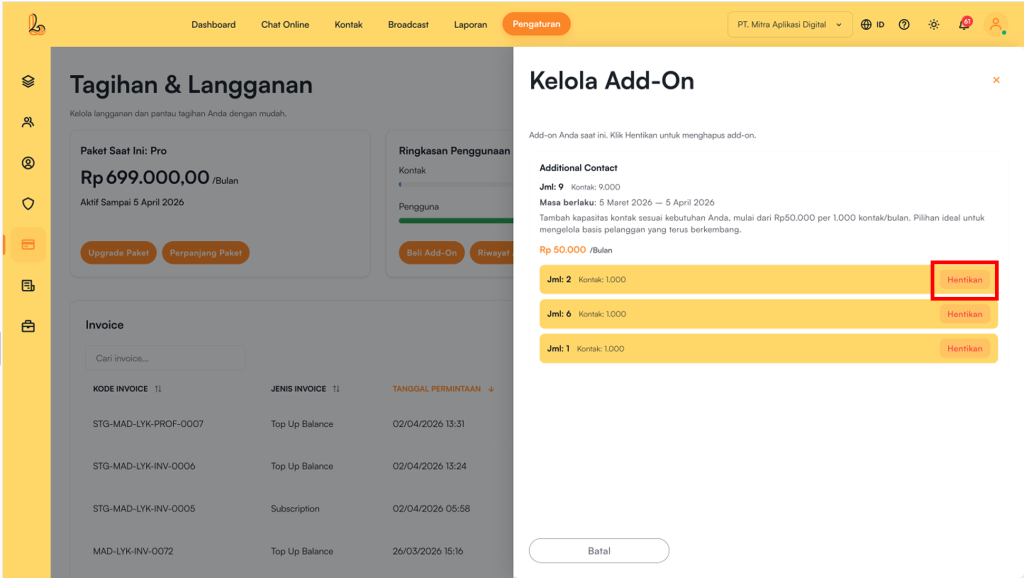
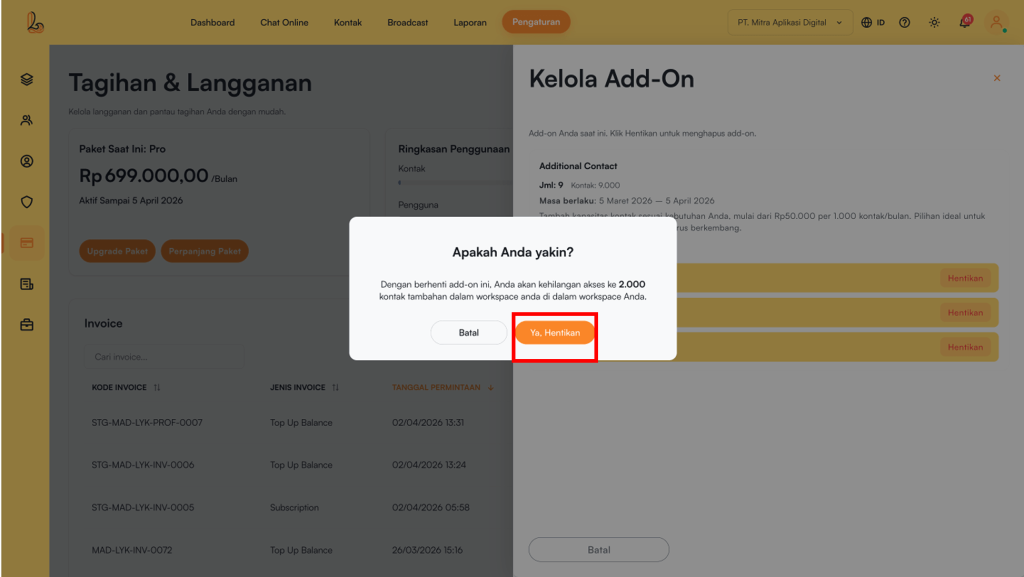
Go to the Settings>Subcription. In the Usage Overviewsection, click Manage On the Manage Add-Onssection, click Stop Add-On yang tidak digunakan. Sistem akan menampilkan pop-up konfirmasi. Klik Ye. Stop to disable the add-on.
e. WhatsApp Balance #
Saldo WhatsApp adalah saldo yang digunakan untuk mengirim dan menerima pesan melalui WhatsApp di dalam platform. Saldo WhatsApp terbagi menjadi 2 jenis saldo:
- Conversation Balance Used to reply to customer messages (conversations).
If the balance runs out, a fee of Rp30 per reply message. - Broadcast Balance: Used to send broadcast messages.
If the balance runs out, a fee ofRp650 per message.
Balance Included in Subscription Plans #
With each plan purchase, users receive WhatsApp conversation balance:
- Free Plan → Rp15.000 (500 reply messages)
- Growth Plan → Rp30.000 (1.000 reply messages)
- Pro Plan → Rp60.000 (2.000 reply messages)
How to Top Up WhatsApp Balance #
Step 1:
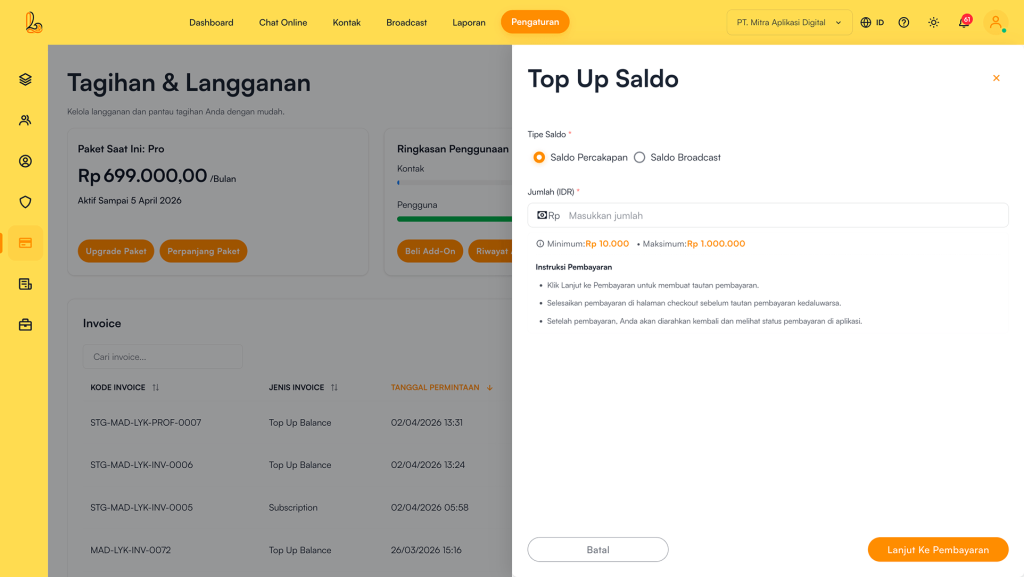
Go to the Settings>Subcription , then click Top up under WhatsApp Balance. The system will display the top-up page.
Choose one of the following options:
- Conversation Balance Minimum top up: Rp10.000 and Maximum top-up: Rp1.000.000.
- Saldo Broadcast: Minimum top up: Rp10.000 and Maximum top-up: Rp5.000.000.
Then, select Continue To Payment to proceed with the payment process.
Step 2:
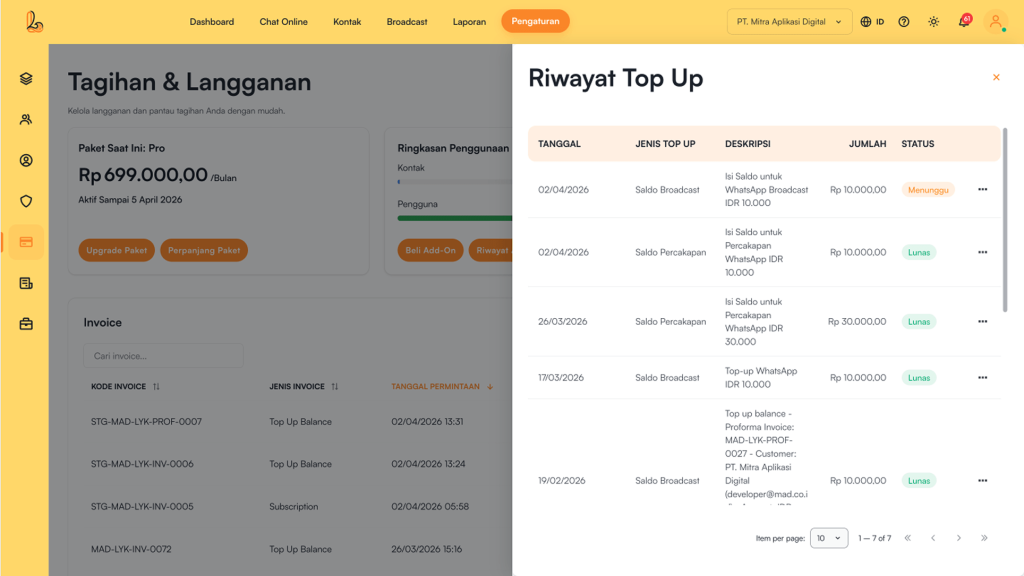
Setelah pembayaran berhasil saldo WhatsApp akan otomatis bertambah. Sistem akan membuat invoice (tagihan) yang dapat dilihat melalui menu Riwayat Top Up.
WhatsApp Usage History #
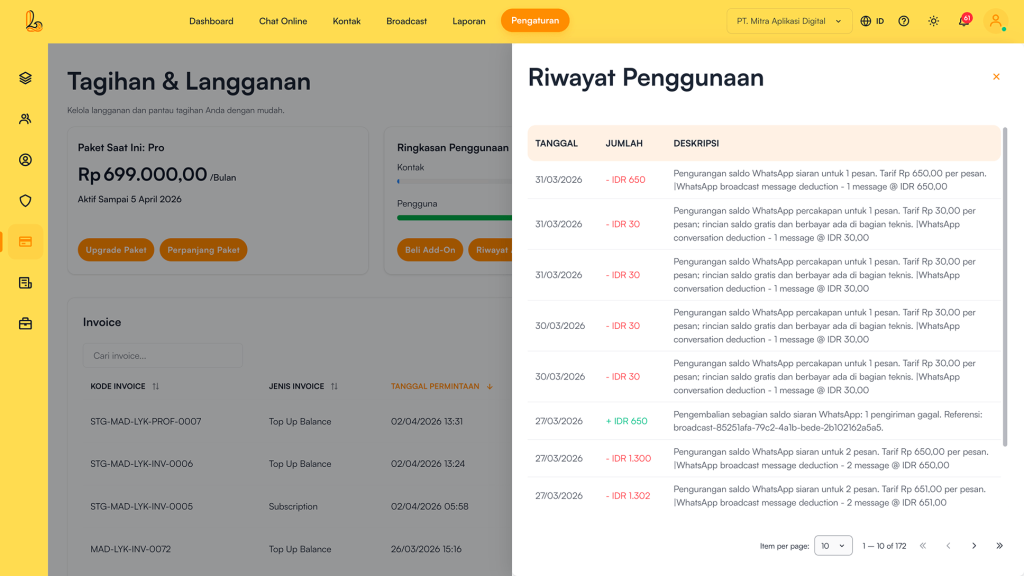
Pengguna dapat melihat riwayat penggunaan saldo WhatsApp. Fitur ini menampilkan daftar aktivitas penggunaan saldo, seperti pengiriman pesan kepada pelanggan serta melakukan pesan broadcast. Melalui fitur ini, pengguna dapat memantau jumlah saldo yang digunakan, jenis aktivitas, serta waktu penggunaan secara detail. Masuk ke menu Settings>Subcription , then click Usage History under WhatsApp Balance. The system will display the Usage History.
f. Invoice #
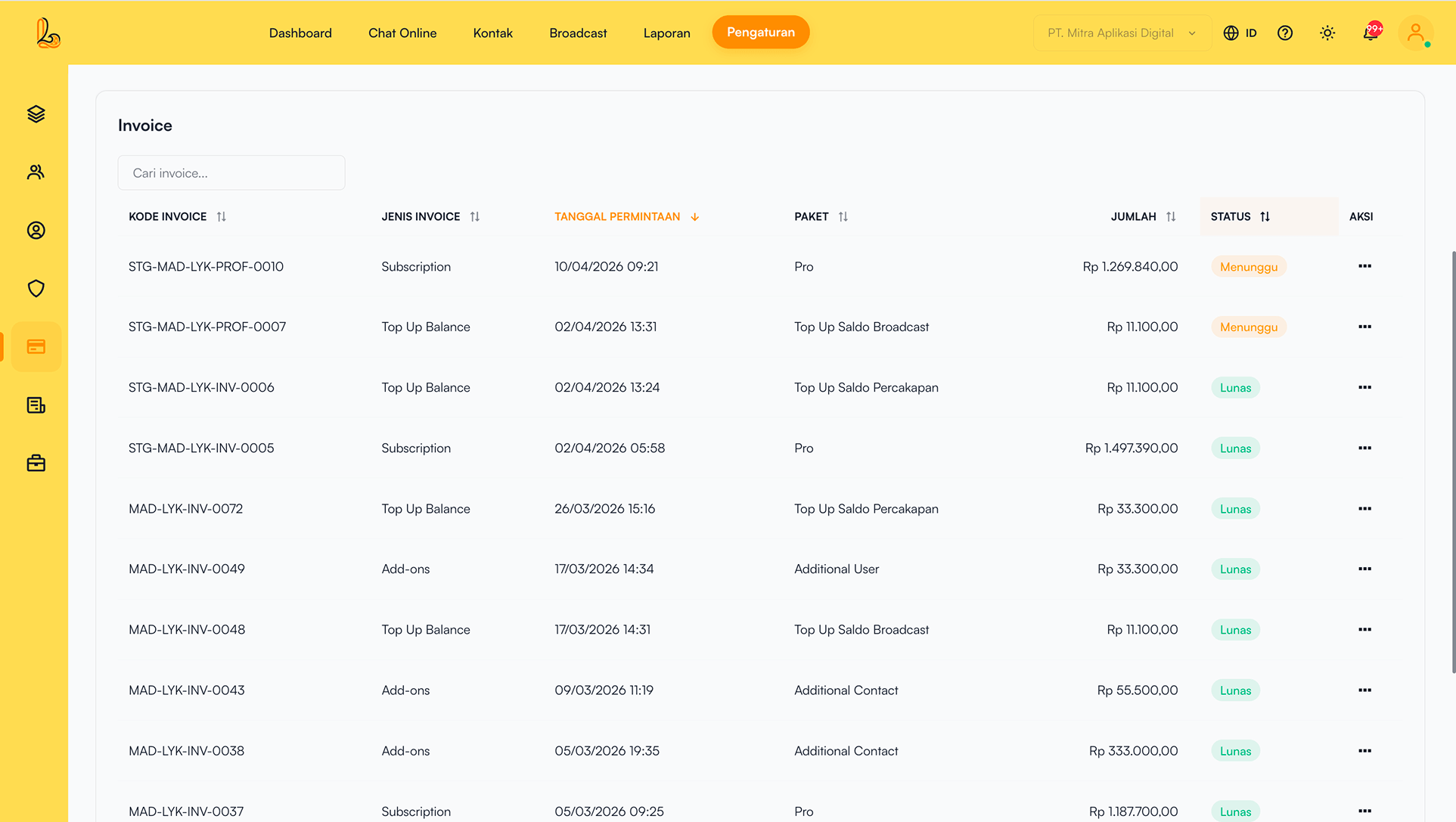
Invoice is used to view the complete history of payment transactions within the system, including:
- Subscription plan purchase
- Subcription renewals
- Plan subcription (upgrade/downgrade)
- Buy add on.
- WhatsApp balance top-ups.
Each successful transaction is automatically recorded as an invoice.
| Colom | Description |
|---|---|
| Invoice Code | A unique code for each payment transaction, used as the invoice identifier |
| Invoice Type | Indicates the type of transaction, such as:
|
| Request Date | The date and time when the transaction was created or initiated by the user |
| Package | Indicates the type of transaction, such as:
|
| Amount | The total payment amount, whether pending or already paid by the user |
| Status | The invoice payment status:
|
| More | Option to view invoice details or download the invoice |
g. Unsubcribe #
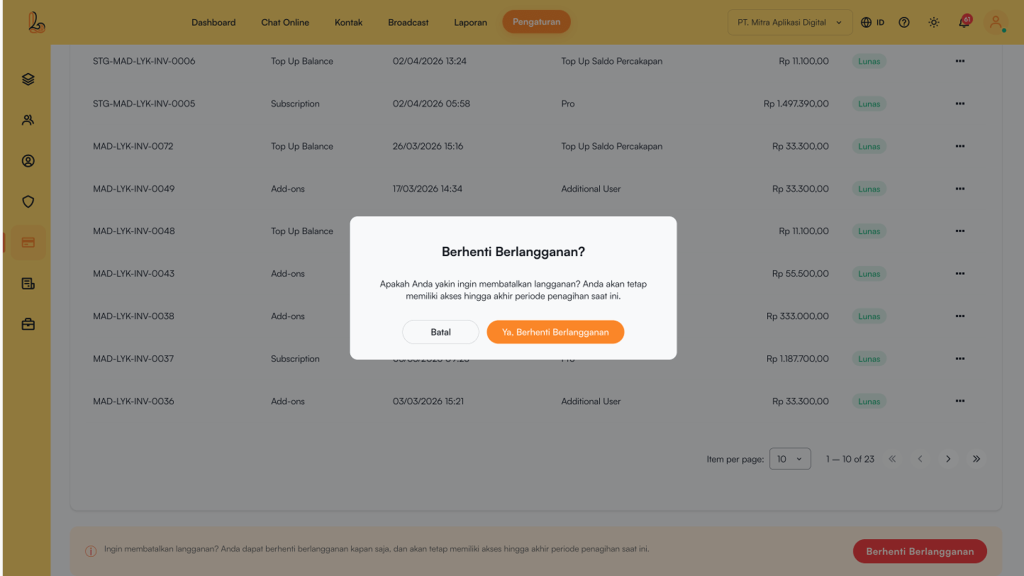
Pengguma dapat menghentikan langganan paket kapan saja. Setelah langganan diberhentikan, paket akan otomatis dialihkan ke paket Free. Masuk ke menu Settings>Subcription , then click Unsubcribe The system will display a subscription cancellation confirmation. Click Yes, Unsubribe jika melanjutkan proses berhenti berlangganan.