


Users can create a broadcast. Below is a guide on how to add a broadcast:
Step 1:
Click Add Broadcast yang terletak sebelah kiri atas. Setelah itu sistem akan mengarahkan anda pada halaman Create Broadcast
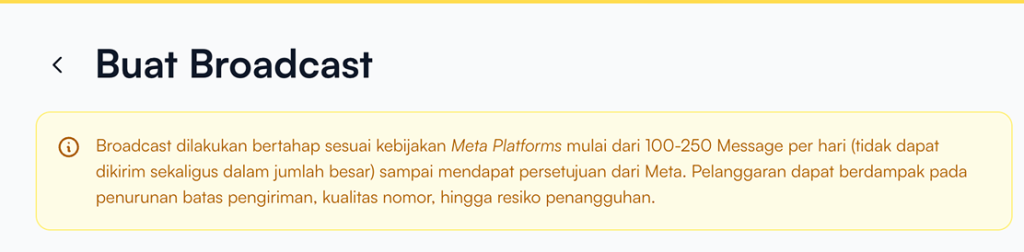
Pastikan pengguna membaca informasi yang ditampilkan pada bagian atas halaman.
Broadcasts are sent gradually in accordance with Meta’s policies (approximately 100–250 messages per day) and cannot be delivered all at once in large volumes.
Violating these policies may result in:
- Reduced sending limits
- Decreased number quality rating
- Risk of account suspension
Step 2:
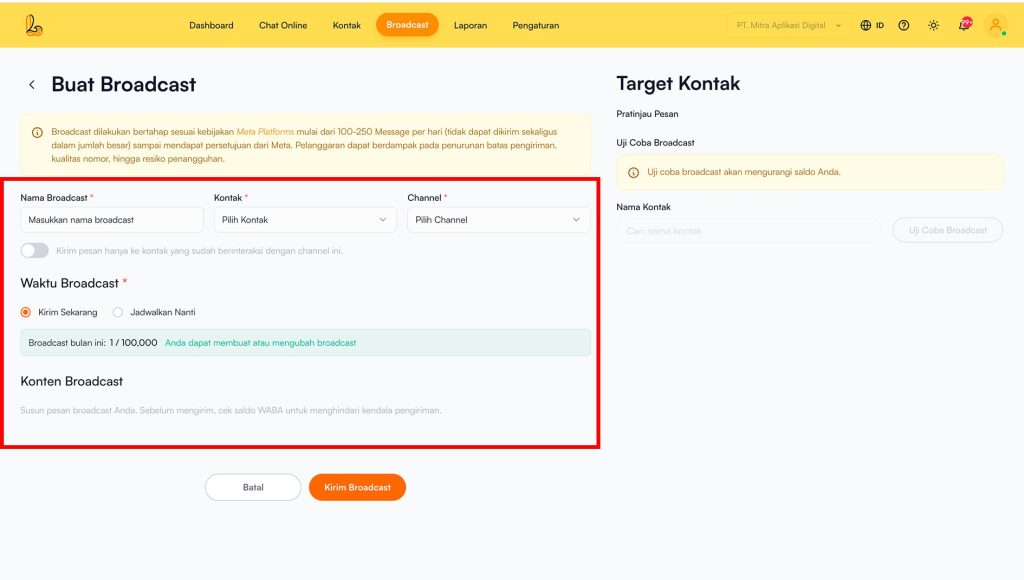
Layanika akan menampilkan formulir yang dapat diisi informasi detail pesan broadcast.
| Information | Description |
|---|---|
| Broadcast Name | Masukkan nama untuk pesan broadcast |
| Contact | Select the contact list that will receive the broadcast |
| Channel | Pilih saluran aplikasi media sosial yang digunakan untuk mengirim broadcast yang akan digunakan (WhatsApp) |
| Interaction Filter (Optional) | Digunakan jika ingin mengirim broadcast pada kontak yang pernah berinteraksi dengan pengguna |
| Waktu Broadast | Users can choose the delivery time:
|
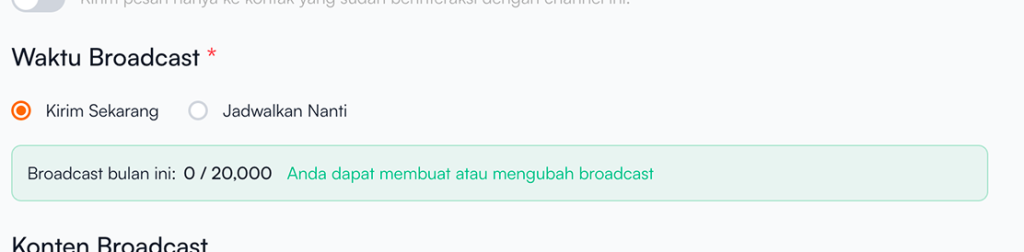
Broadcast Quota Information
Pada pengguna dapat melihat informasi jumlah broadcast yang tersedia.
Step 4:
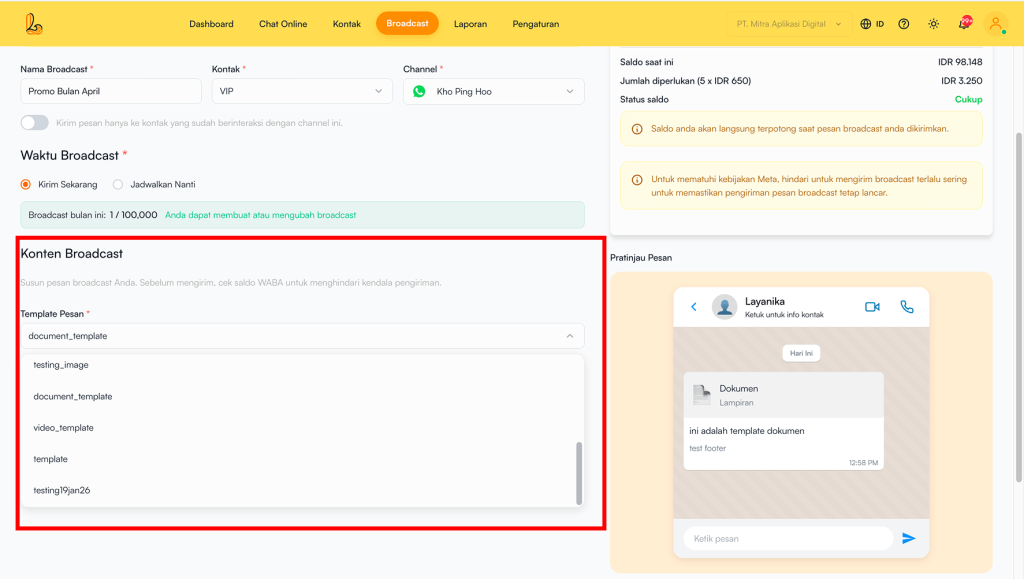
Tambahkan konten broadcast. Konten broadcast berasal dari template pesan WhatsApp yang telah dibuat sebelumnya. Jika anda belum memiliki template silakan buat terlebih dahulu melalui panduan berikut: How to Create a Broadcast Template
Step 5:
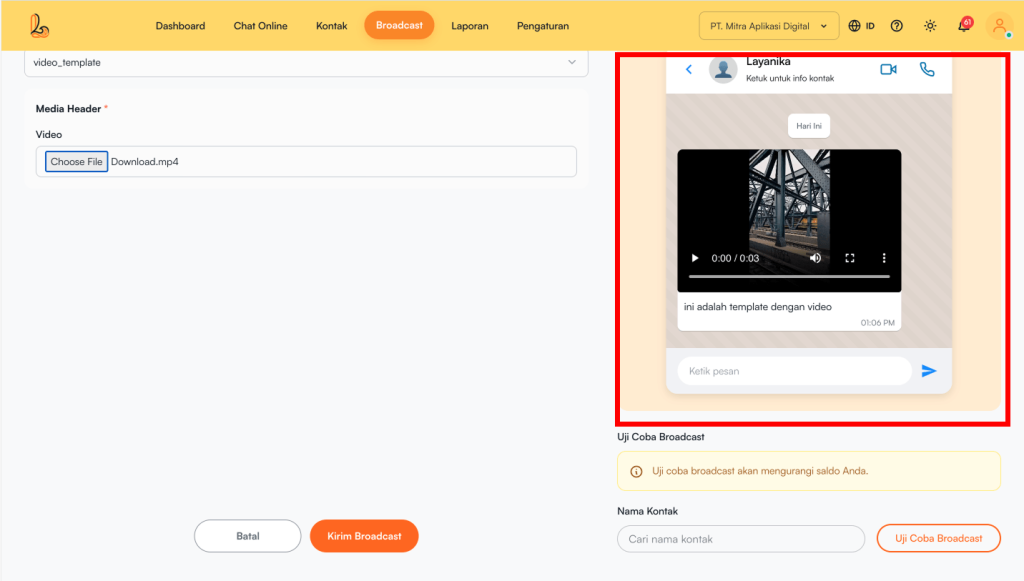
Users can preview the message before it is sent using the message preview feature.
Step 6:
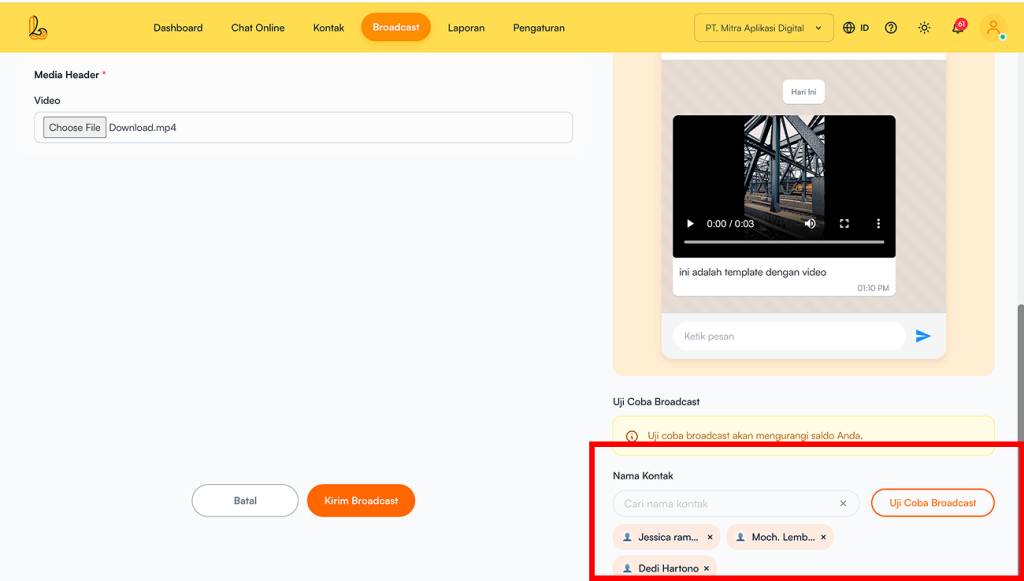
Gunakan uji coba broadcast untuk mencoba mengirim pesan sebelum dikirim ke penerima. Hal ini bertujuan untuk memastikan isi pesan sudah tampil dengan benar.
Keep in mind:
- Uji coba broadcast akan mengurangi saldo broadcast yang tersedia.
- Pastikan kontak yang dipilih untuk uji coba valid dan dapat menerima pesan.
- Pengguna dapat mengirimkan maksimal 3 kontak.
Step 7:
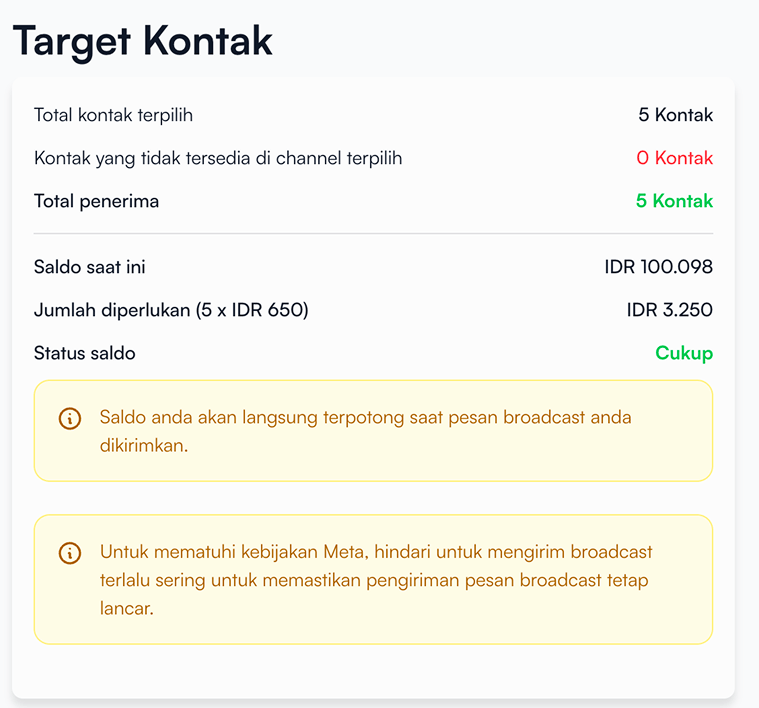
Before sending the broadcast, make sure to review the following information:
| Information | Description |
|---|---|
| Total selected contacts | Number of contacts selected as the broadcast target |
| Kontak yang tidak tersedia pada channel terpilih | Contacts that cannot receive the broadcast (e.g., not connected to WhatsApp) |
| Total recipients | Number of contacts who will receive the broadcast |
| Current balance | The total balance available to the user. |
| Amount required | Number of contacts who will receive the broadcast |
| Balance status | Estimated cost for sending the broadcast |
Step 8:
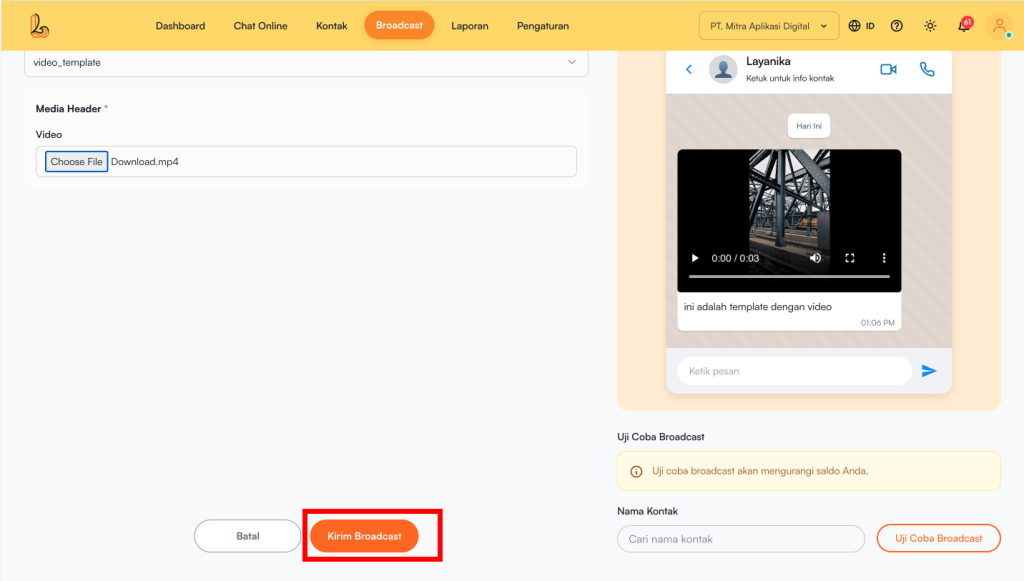
Setelah semua data dan konten terisi dengan benar, pilih tombol Send Broadcast untuk mengirim pesan broadcast.


