

Report Contact in Layanika is a reporting feature that provides data and analysis of all customer contacts stored in the system within a selected period. This report helps businesses understand contact profiles, growth, and overall activity.
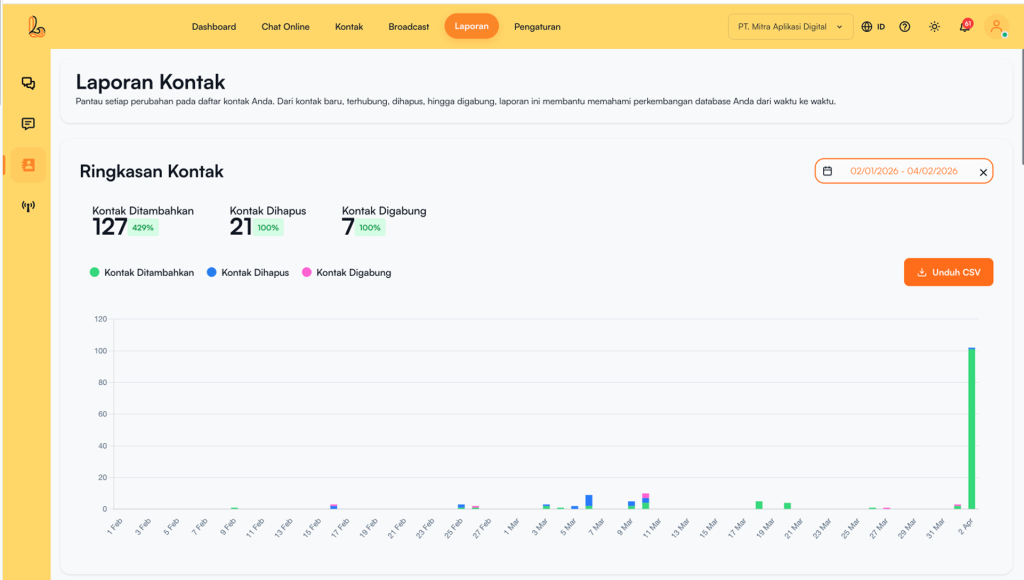
a. Contact Overview #
Contact Overview provides an overview of contact data changes within the selected time period. This feature helps users quickly understand contact growth and activity.
b. Contact Added Log #
Contact Added Log is a section of the Contact Report that displays the history of newly added contacts within a selected time period. It includes details such as the time the contact was added, the source of the contact, and the user who added the contact.
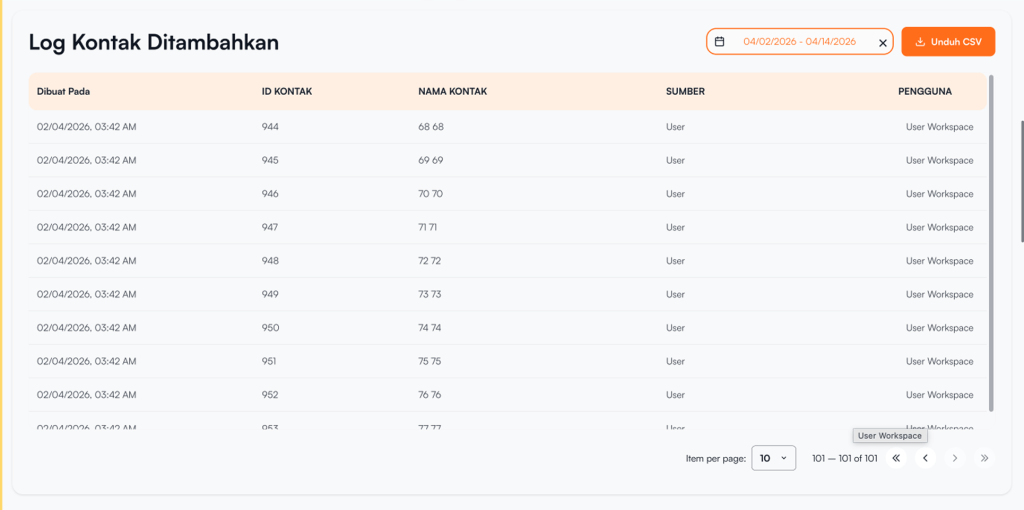
The following information is displayed in the table:
| Colom | Description |
|---|---|
| Created At | Waktu kontak ditambahkan |
| Contact ID | A unique ID assigned to each contact |
| Contact Name | The name of the customer added |
| Source | The source from which the contact was added (e.g., import, manual input) |
| User | The name of the user (agent) who added the contact |
c. Contact Connected Log #
Contact Connected Log shows contacts successfully linked to channels (e.g., WhatsApp, Telegram, Instagram, Facebook Messenger, Webchat), along with details such as time, source, and involved users.
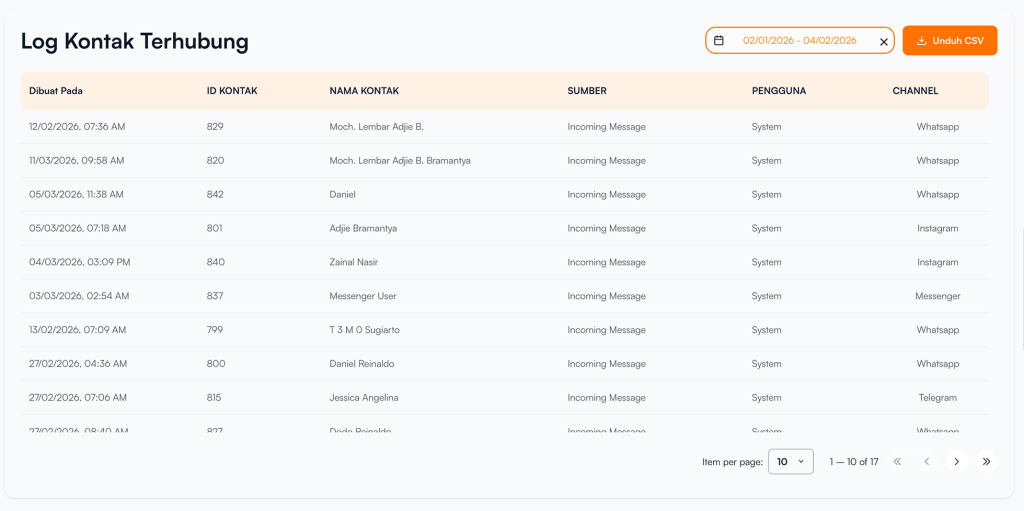
The following information is displayed in the table:
| Colom | Description |
|---|---|
| Created At | The time when the contact was connected to the channel |
| Contact ID | A unique ID for each contact/customer |
| Contact Name | The name of the customer who is connected |
| Source | The source of the contact connection (e.g., from an incoming message) |
| User | The name of the user (agent) who handled or managed the contact |
| Channel | The channel where the contact is connected (e.g., WhatsApp, Telegram, Instagram, Facebook Messenger, Webchat). |
d. Contact Deleted Log #
Contact Deleted Log pada Layanika adalah fitur laporan yang mencatat riwayat penghapusan data kontak pada periode tertentu.
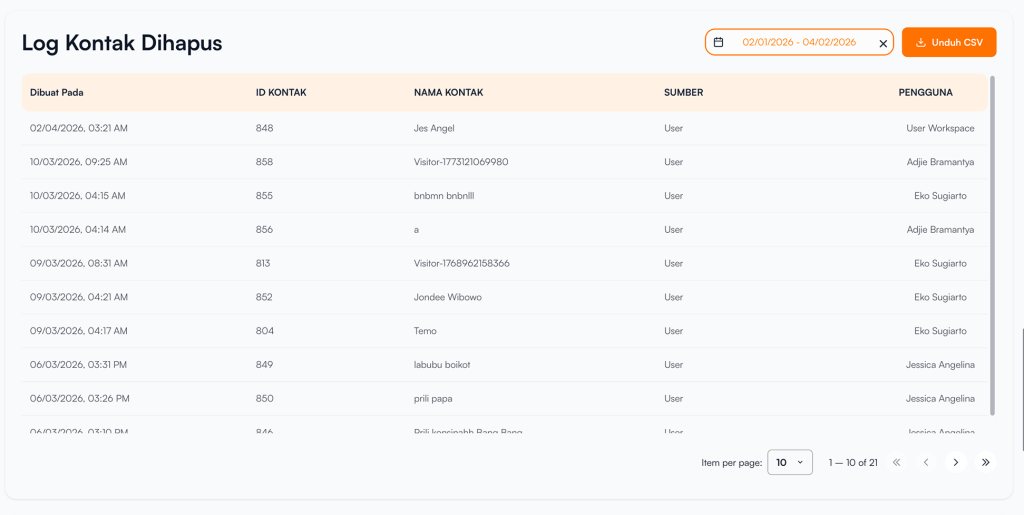
The following information is displayed in the table:
| Colom | Description |
|---|---|
| Created At | The time when the contact was deleted from the system |
| Contact ID | The unique ID of the deleted contact |
| Contact Name | The name of the deleted customer |
| Source | The source of the deletion (e.g., initiated by a user) |
| User | The name of the user (agent) who deleted the contact |
e. Contact Merged Log #
Contact Merged Log pada Layanika adalah fitur laporan yang mencatat riwayat penggabungan (merge) dua atau lebih kontak menjadi satu data kontak yang terpusat pada periode tertentu.
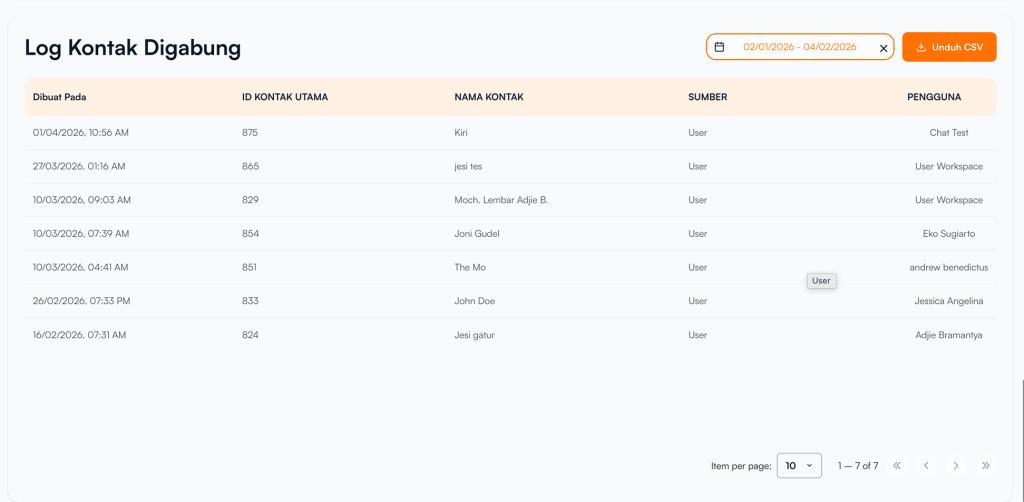
The following information is displayed in the table:
| Colom | Description |
|---|---|
| Created At | The time when the contact merge process was performed |
| Primary Contact ID | The ID of the primary contact used as the result of the merge |
| Contact Name | The name of the primary contact after the merge process |
| Source | The source of the merge process (e.g., initiated by a user) |
| User | The name of the user (agent) who performed the contact merge |


