

The Interaction History menu displays a list of interactions between users and customers. This menu helps users monitor team and customer activities by providing visibility into assignment history, chat closures, and other contact-related activities.
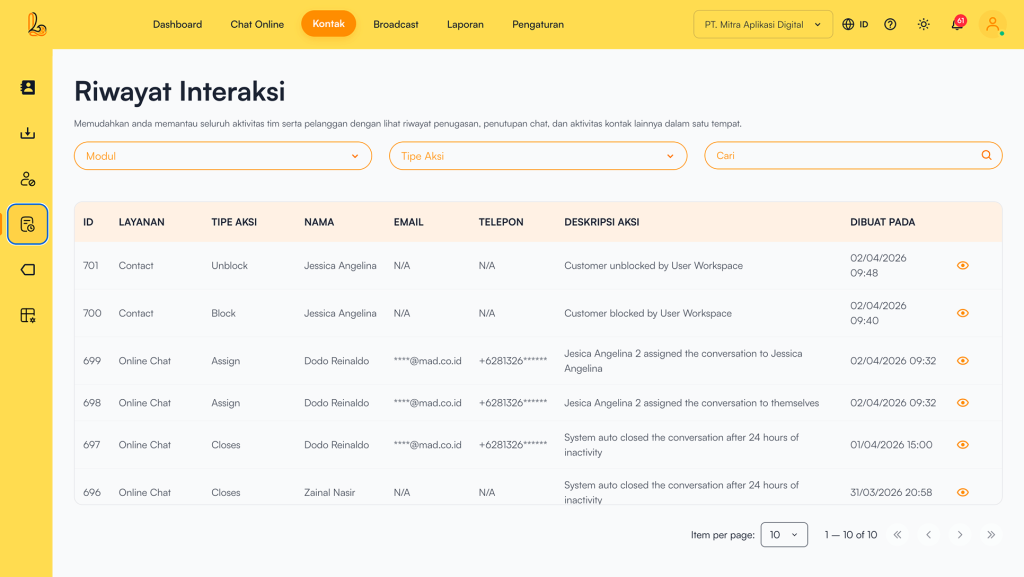
Below is a description of what each column represents:
| Colom | Description |
|---|---|
| ID | Unique activity ID |
| Service | Module or service where the activity occurred (e.g., Online Chat, Contacts) |
| Action Type | Type of activity performed |
| Name | Name of the user or contact involved |
| Associated email (if available) | |
| Phone | Associated phone number (if available) |
| Action Description | Detailed description of the activity |
| Created At | Time of when the activity occurred |
| Detail | Detailed description of the activity |
a. Search and Filter Features #
To make it easier to navigate through thousands of logs, users can utilize the following filters:
- Module Filter: Filters history based on the source of activity, such as:
- Online Chat: History of direct conversations
- Contacts: History of data changes in the Contacts menu
- Action Type Filter: Filters based on specific types of actions, such as:
- Assign: When a conversation is assigned to a specific agent
- Block: When a customer contact is blocked
- Unblock: When a customer contact is unblocked
- Closed: The conversation has been completed and closed.
b. Viewing Interaction Details #
Users can view detailed interactions between the team and customer contacts. Below is a guide on how to view contact interactions:
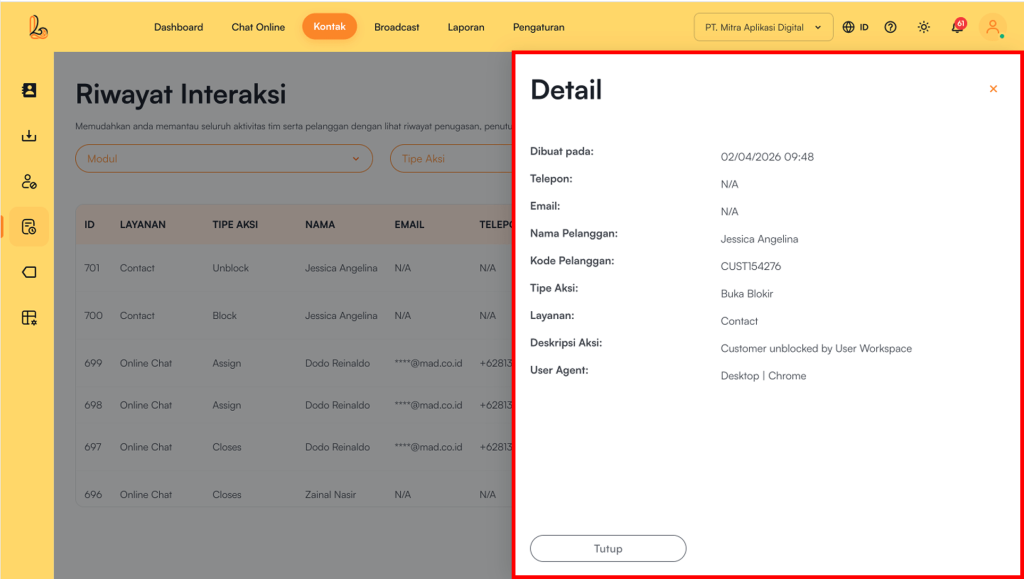
Users can view interaction details by selecting View located on the right side of the Created Atcolumn. The system will then display the Detail.


